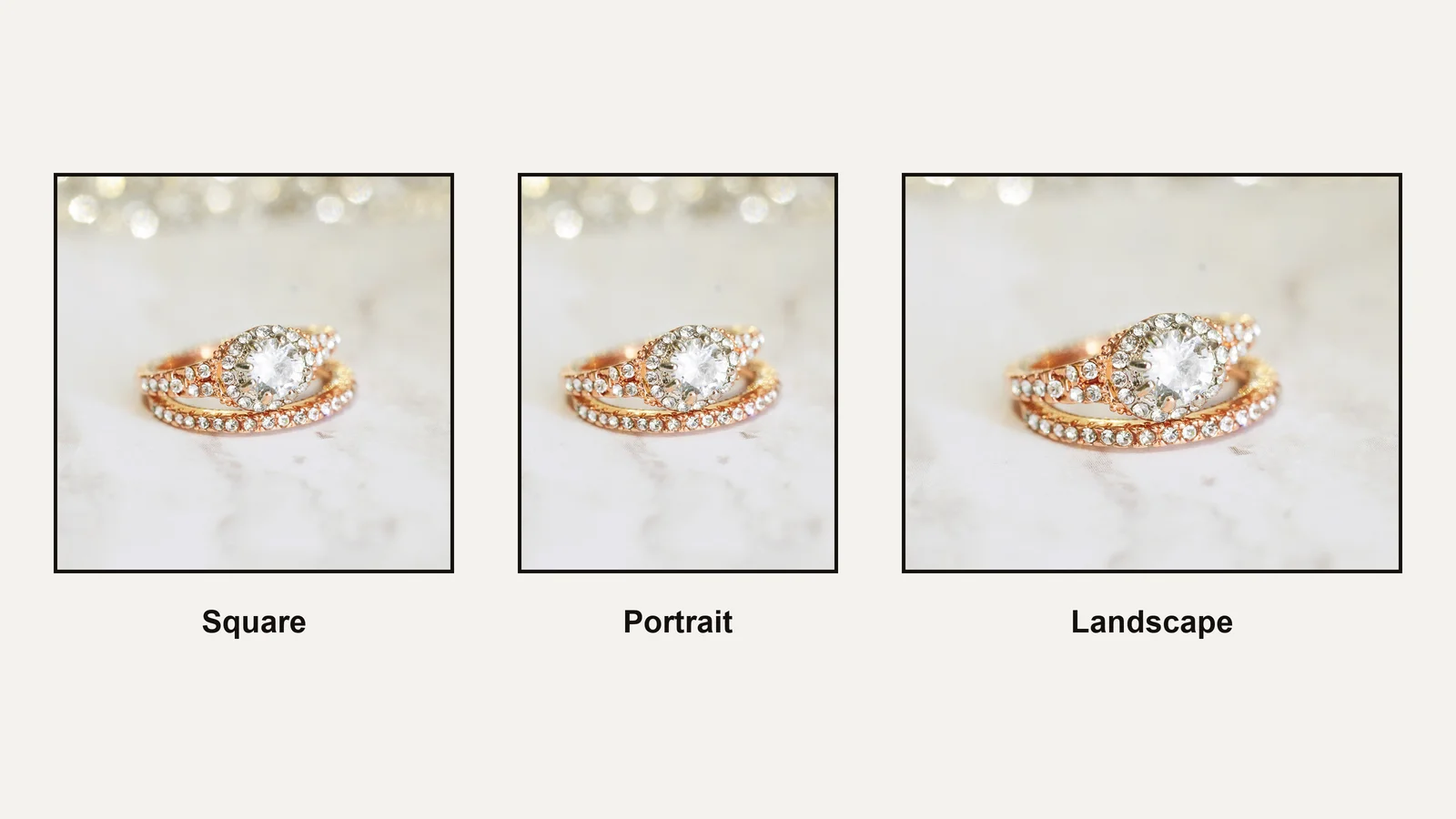
The Etsy listing photo size Etsy recommends is at least 2,000 pixels on the shortest side, with the first photo at least 635 pixels wide and tall. Keep files under 1 MB, and keep the piece in the middle of the frame, because Etsy crops the same photo to square, portrait and landscape views.
Quick answer:
- Export each photo at 2,000 px on the shortest side; a 2,000 px square is the simplest.
- Make the first photo at least 635 px, or the listing may show lower in search.
- Keep files under 1 MB so uploads finish.
- Center the piece with margin, so all three thumbnail crops keep it.
- Use Adjust Thumbnail in Shop Manager after any crop.
This guide follows a ring from the master file to the listing, because on a small piece the numbers alone don’t make a photo readable. The sizes for Amazon, Shopify and other channels are in our product image size guide for every channel.
What Etsy’s listing photo rules cover
Etsy’s listing photo rules set the pixel size, the file size and type, and the shape of the first photo, and they explain how Etsy crops that photo for thumbnails. The numbers are recommendations, apart from the 635 px floor for the first photo, which affects where the listing appears in search.
| Etsy rule | What Etsy says | What it means for a small piece |
|---|---|---|
| Photo size | At least 2,000 px on the shortest side, at 72 PPI | Enough pixels for a buyer to zoom on a stone |
| First photo | At least 635 px wide and tall, or it may show lower in searches | A hard floor; stay well above it |
| File size | Files over 1 MB may not finish uploading | Export with compression, then check the file size |
| File type | JPG, GIF, PNG, SVG or HEIC; no animated GIF or transparent PNG | A JPG suits product photos |
| Shape and crops | Thumbnails are cropped to square, portrait and landscape views; Shop Home shows squares | Keep the piece inside the area all three crops share |
The sources are Etsy’s own pages: its image requirements, its announcement on listing image size and ratio and its guide to editing listing photos. Etsy’s requirements page mixes landscape and square advice; a square master with margin satisfies both. The same rules apply to every Etsy product image size, from the first photo to the last.
Why the Etsy thumbnail decides the click
Buyers see the first photo as a thumbnail in search before they see anything else. Etsy does not publish one fixed Etsy thumbnail size; it shows a crop of the first photo in three shapes, at a fraction of its size. A ring that fills half the frame becomes a few pixels of metal in that grid.
That is why the size numbers are not enough for jewelry. A 2,000 px photo with the ring small in the middle passes every Etsy rule and still loses the click. The piece has to fill most of the frame, with enough margin left for the portrait and landscape crops, and the stone has to stay sharp when the grid shrinks it.
Etsy states one ranking consequence plainly: a first photo under 635 px may show lower in searches.
What you need before you start
| What | Why it matters | Minimum |
|---|---|---|
| A photo of at least 2,000 px | Enlarging a smaller photo softens the stone | 2,000 px on the shortest side, straight from the camera |
| Photoshop or another editor | You need guides, Image Size and Export | Any editor that resizes and shows file size |
| A square master file | Every Etsy crop starts from it | The full-resolution photo, cropped square, kept with its layers |
| Shop Manager access | Adjust Thumbnail is set per listing | Permission to edit the listing |
What retouching can’t fix
A photo shot below 2,000 px cannot be enlarged to Etsy’s size without losing detail, and a stone shot out of focus stays soft at any size. A piece cropped tight in camera has no margin left for Etsy’s portrait and landscape crops, so it has to be shot again with room around it.
Where the line sits
Cleaning dust, setting the background and correcting color are accepted. Making a stone look clearer, larger or a different color misrepresents the piece. The FTC’s Jewelry Guides cover how pieces are described to US buyers, and the UK’s CAP Code applies the same test to ads there.
How to size Etsy listing photos: 6 steps
Allow 25 to 45 minutes for the first listing; later photos from the same master take a few minutes each. The steps use Photoshop, but any editor with guides and an export dialog works.
Step 1: Start from a square master (3 to 5 min)
Etsy crops every photo several ways, so start from a shape that holds all of them.
- Open the full-resolution photo and duplicate it, so the original stays untouched.
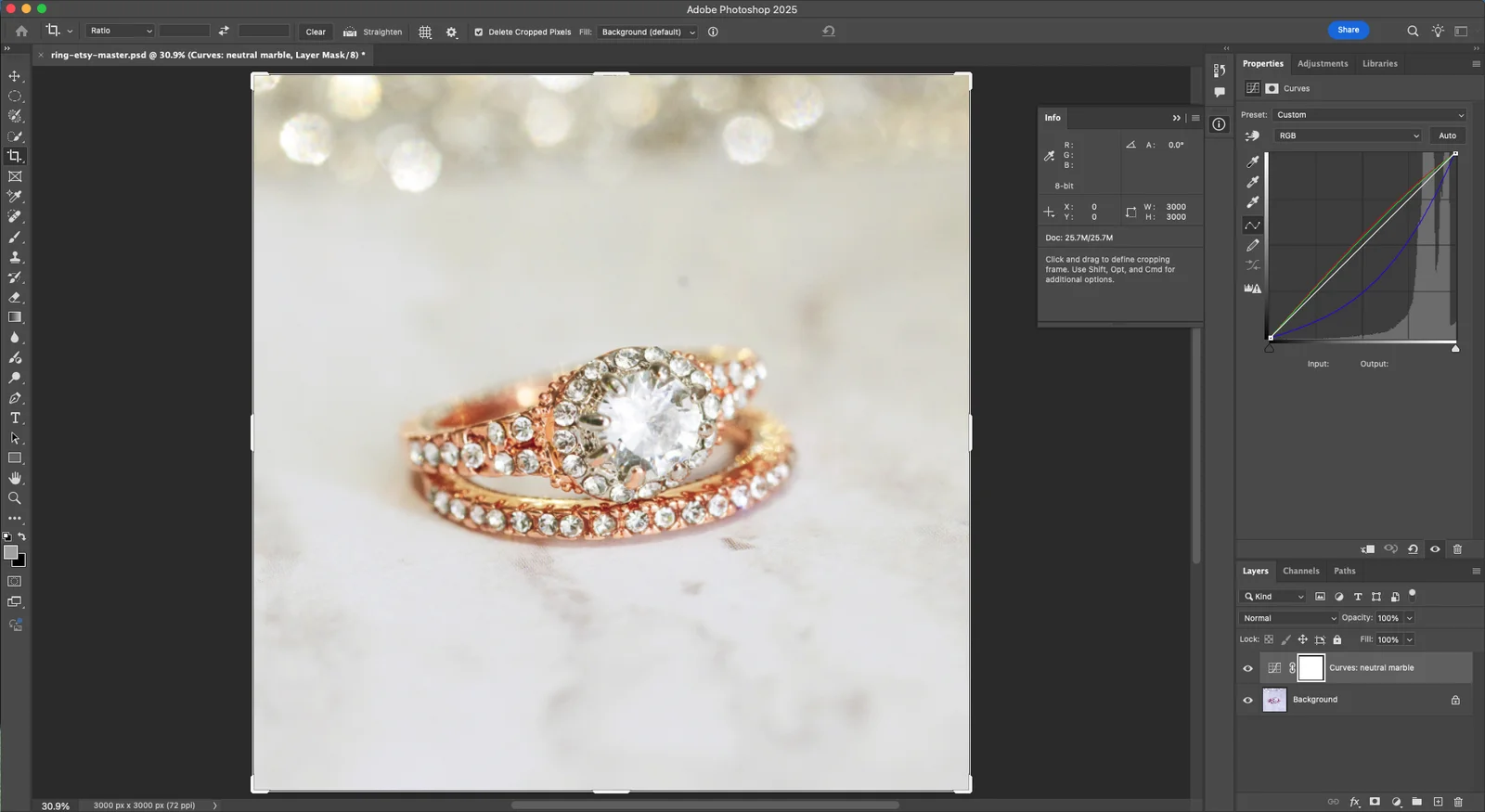
- Use the Crop Tool with the ratio set to 1:1 (Square), and crop around the piece with even space on all sides.
- Save this as the master file with its layers. Every Etsy export comes from it.
If you also sell on Shopify, the same square master serves your store; our Shopify product image size guide exports it at 2048 px and covers the theme crops.
Step 2: Frame the piece inside the safe area (5 to 10 min)
The safe area is the part of the square that survives the square, portrait and landscape crops.
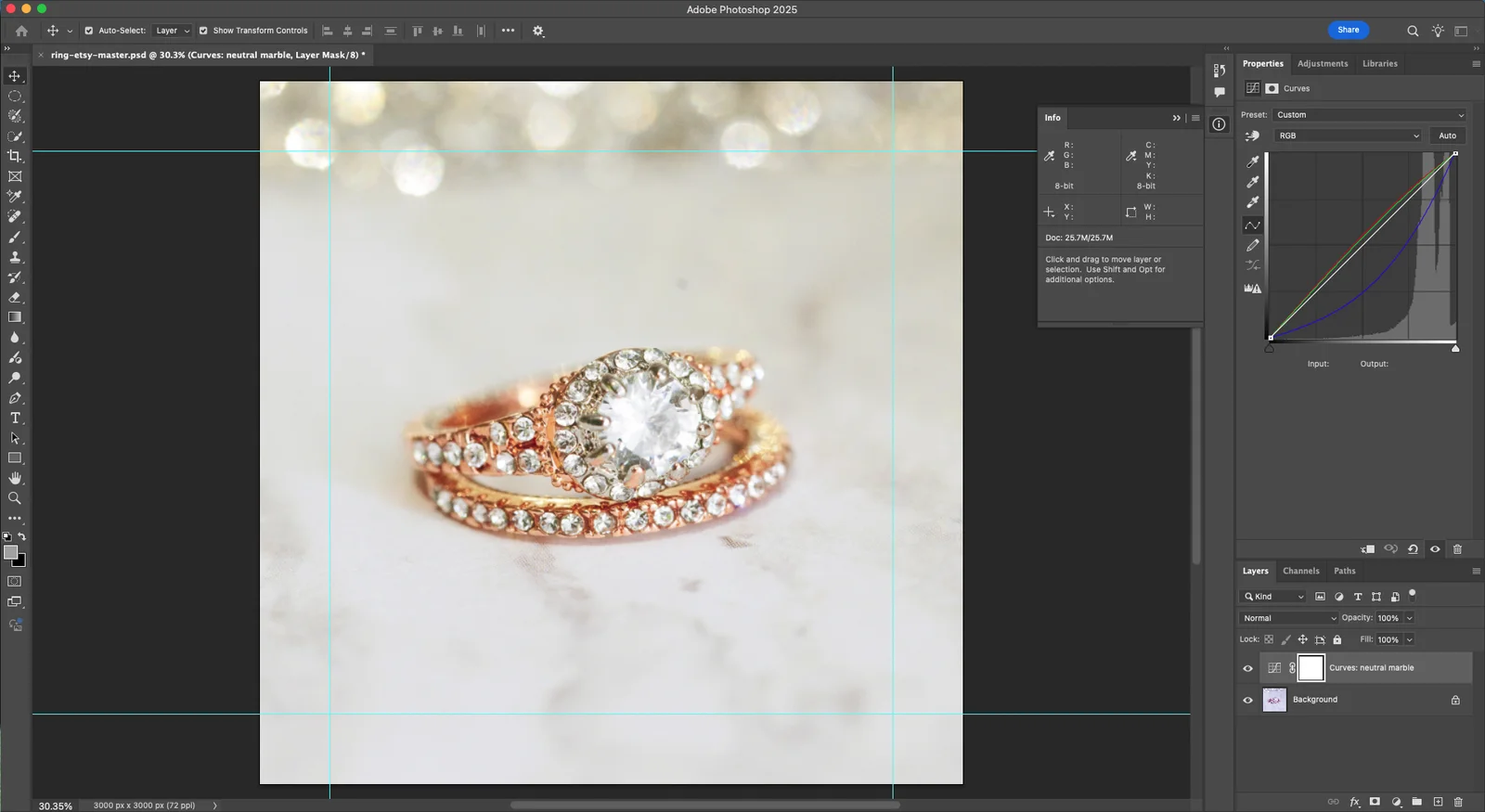
- Add guides for a 4:5 portrait crop and a 5:4 landscape crop inside the square (View > Guides > New Guide Layout). Etsy doesn’t publish its exact crop ratios, so these work as a safe margin.
- Size the piece so it is clearly the subject but stays inside the area all the guides share.
- Keep the stone near the center, where every crop keeps it.
Tip: Zoom out until the image is about 200 px wide on screen. If you can’t read the piece at that size, it will not read in Etsy’s search grid either.
Step 3: Resize to 2,000 px on the shortest side (2 min)
Resize a copy, never the master, so a later change can be exported again at full quality.
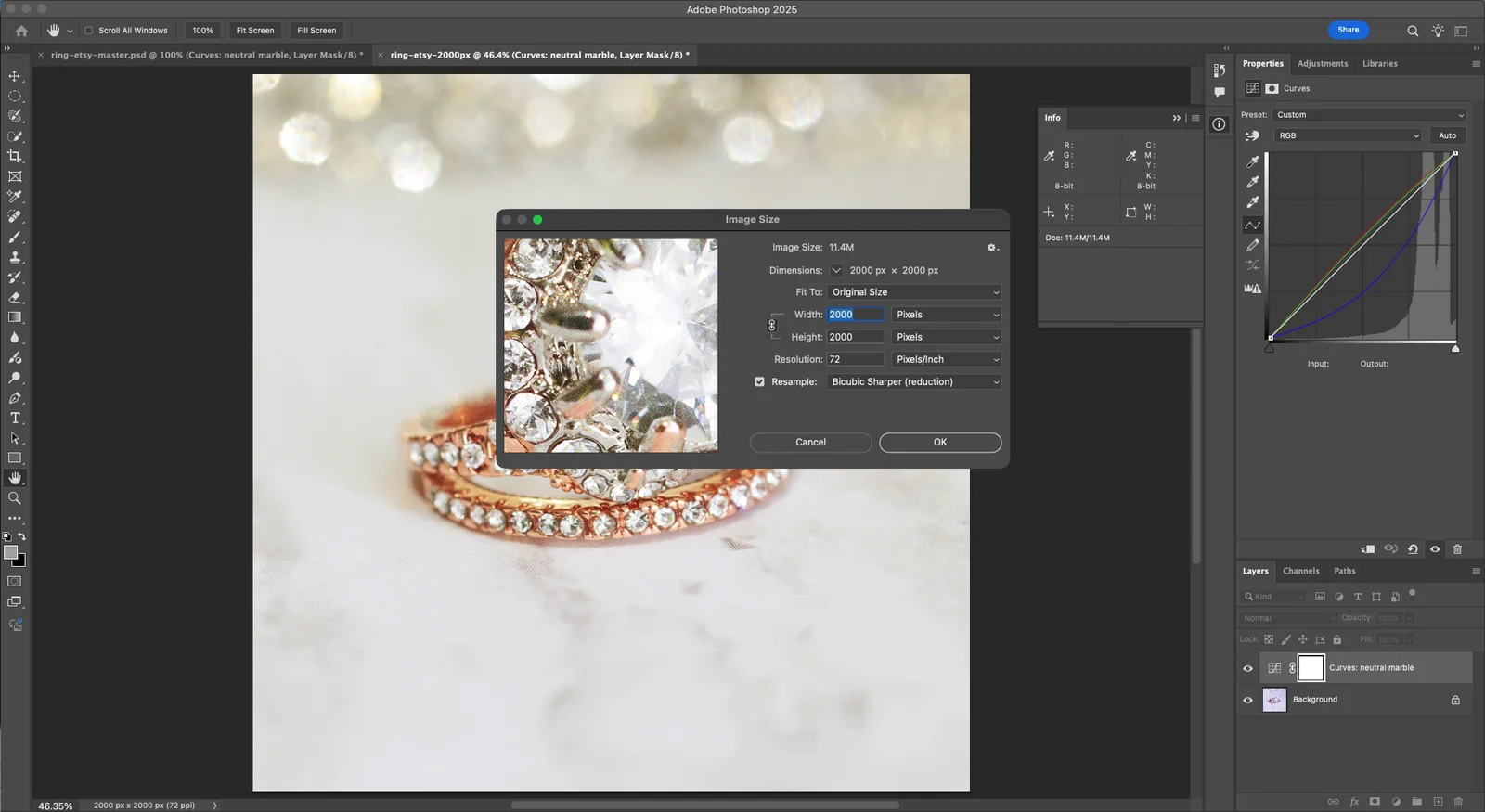
- Choose Image > Duplicate, then Image > Image Size.
- Set Width to 2000 Pixels with the chain linked, so Height also reads 2000, and Resolution to 72.
- Set Resample to Bicubic Sharper (reduction) and click OK.
Step 4: Check the background and the stone at 100% (10 to 20 min)
Etsy does not require a white background, but a gray, uneven one looks dull in the thumbnail grid.
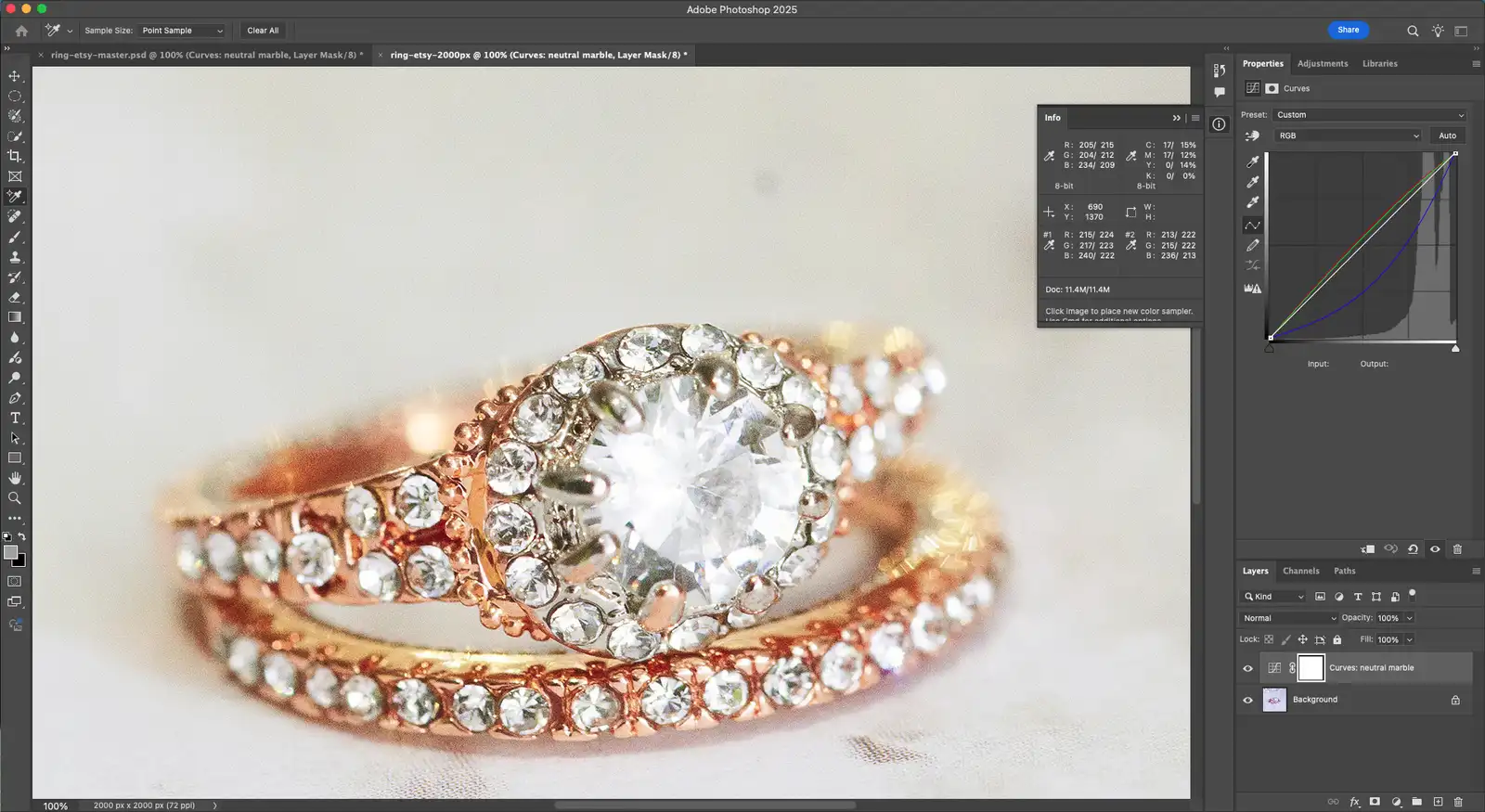
- Open Window > Info and sample the background in the corners; even values read cleaner than patchy ones.
- Zoom to 100% on the stone. Its facets should be sharp, with no halo from earlier sharpening.
- Check the edge of the band at 100% for a gray fringe left by a cutout.
Step 5: Export a JPEG under 1 MB (2 to 5 min)
Etsy warns that files over 1 MB may not finish uploading, especially on slow connections.
- Choose File > Export > Export As and set Format to JPG.
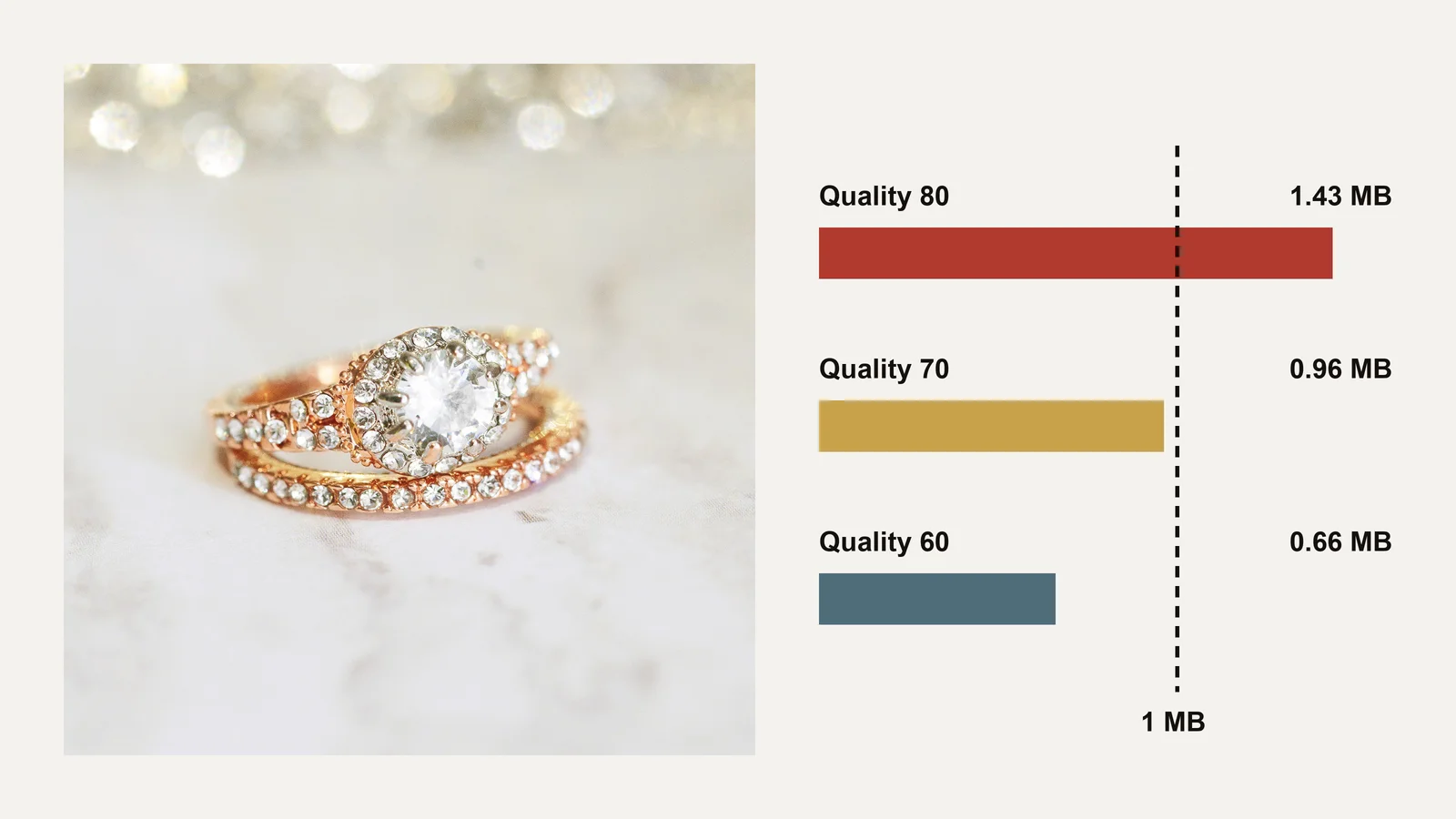
- Start Quality at 80%, tick Convert to sRGB, and read the file size shown in the dialog.
- If it is over 1 MB, lower Quality a step at a time, and check the stone at 100% again before saving.
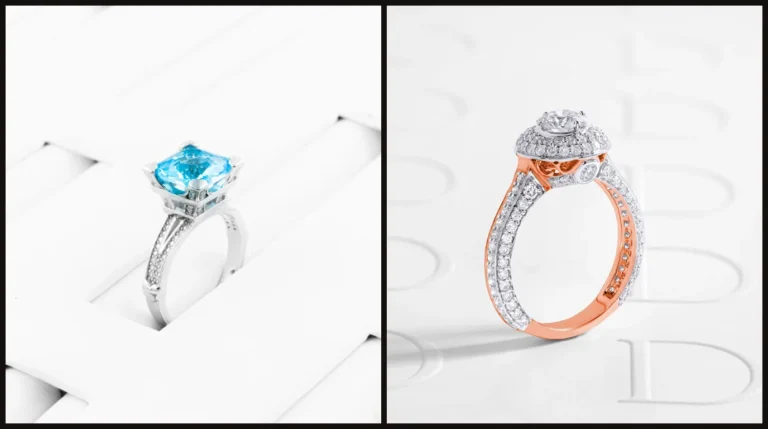
Saved as a JPEG, the ring in this guide was 1.43 MB at quality 80, so we dropped to 70, which saved at 0.96 MB with the facets still crisp. A grainy or busy background makes the file bigger at every setting.
Step 6: Upload and adjust the thumbnail in Etsy (3 to 5 min)
Etsy’s own Adjust Thumbnail tool sets how the first photo looks in each crop.
- In Shop Manager > Listings, edit the listing and upload the photo as the first image.
- Crop it first if you need to; Etsy notes a saved crop can’t be undone without uploading the original again.
- Choose Adjust Thumbnail, zoom with the slider and position the piece so it is clear in all three views, then click Apply.
What Etsy accepts but buyers notice
Some files pass every Etsy rule and still lose sales. A photo enlarged to 2,000 px from a smaller original uploads fine but looks soft at zoom. A background that is nearly white reads gray in the grid. A stone sharpened too hard shows a white halo when a buyer zooms in.
Fixing those takes jewelry photo retouching: rebuilding the background, recovering the metal and bringing the facets back without inventing them. It starts from the full-resolution master, which is another reason to keep it.
Common mistakes
| Mistake | What it looks like | Fix |
|---|---|---|
| Piece cropped tight in the frame | The portrait or landscape thumbnail cuts the ring | Keep margin inside the square |
| Piece too small | A few pixels of metal in the search grid | Fill most of the frame inside the safe area |
| Upscaling to 2,000 px | A soft, smeared stone at zoom | Shoot at 2,000 px or more |
| Uploading the full camera file | An upload that stalls or fails | Export a JPEG under 1 MB |
| Transparent PNG | A rejected or odd-looking upload | Save a JPG with a real background |
| Skipping Adjust Thumbnail | A crop that hides the stone in one view | Check all three views before publishing |
Do it yourself or outsource?
If you list a few pieces a month and your photos already start at 2,000 px with a clean background, do it yourself. The six steps are quick once the master files exist.
| Doing it yourself works when | Outsourcing works when |
|---|---|
| You list a few pieces at a time | You list a full collection at once |
| Your backgrounds are already even | Each photo needs the background rebuilt |
| Your pieces are plain metal | Stones need work at 100% zoom |
If each photo needs 20 minutes of cleanup before the export steps, a listing with eight photos is nearly three hours, and 20 listings is over 50 hours. The guide to one master file for every channel shows how to keep that work to one pass.
A professional jewelry retoucher can take the cleanup off your desk: every file gets a second check at 100% zoom, and most orders come back within 24 hours.
Send us your trial images. It’s free, with no card or sign-up.
Frequently asked questions
At least 2,000 pixels on the shortest side. Etsy also asks for a first photo of at least 635 pixels wide and tall, and files under 1 MB.
Etsy does not publish a fixed thumbnail size. It crops the first photo to square, portrait and landscape views, and Adjust Thumbnail in Shop Manager sets how the piece sits in each.
Etsy’s first photo can be landscape or square, and Shop Home shows listings as squares. A square master with margin works for every view.
Etsy’s announcement recommends 72 PPI, but the pixel size is what matters: 2,000 pixels on the shortest side gives buyers room to zoom.
Usually because the photo started smaller than 2,000 pixels and was enlarged, or was compressed too hard to get under 1 MB. Shoot larger, and lower JPEG quality only as far as you need.
Yes, but Etsy does not support transparent PNGs. For product photos, a JPG with a real background is lighter and safer.