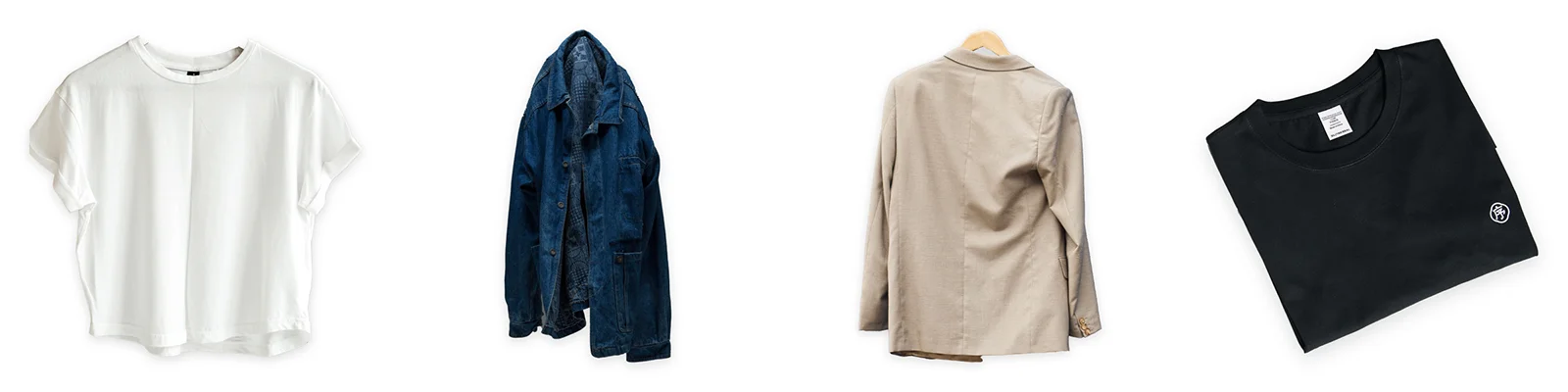
Northbound sample: four garments from four photographers, cut out onto one clean white catalog.
Apparel catalogs fill up one shoot at a time, and every shoot brings its own backdrop, light and hanger. To show how we clean that up, we took four garment photos by four different photographers and edited them in Photoshop to one spec: pure white background, the same framing and the same soft shadow.
Sample project. Northbound is a fictional brand name we use for this sample, not a client. The four source photos are from Pexels and are credited below. The brief, the spec, the editing and every number on this page are ours. We add client case studies when clients agree to be named.
Client
Year
Industry
Services
Executive summary .
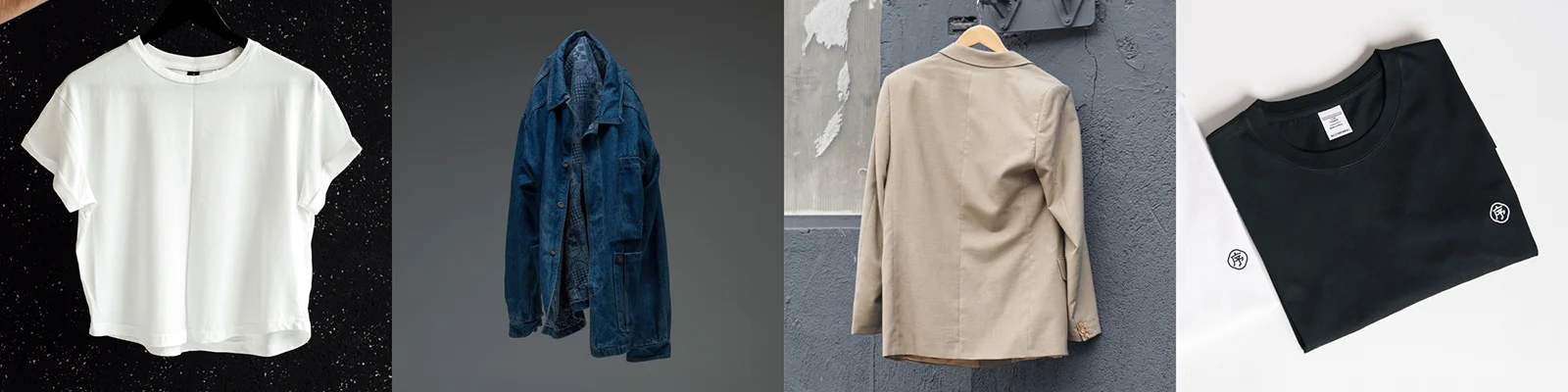
We started with six garment photos from six photographers and kept four. Their backgrounds had nothing in common: a black speckled backdrop, a grey studio sweep, a grey concrete wall and a white tabletop. One tee was held up by a hand, one blazer hung on a wooden hanger in front of the wall, and the black tee was shot next to a second, white tee.
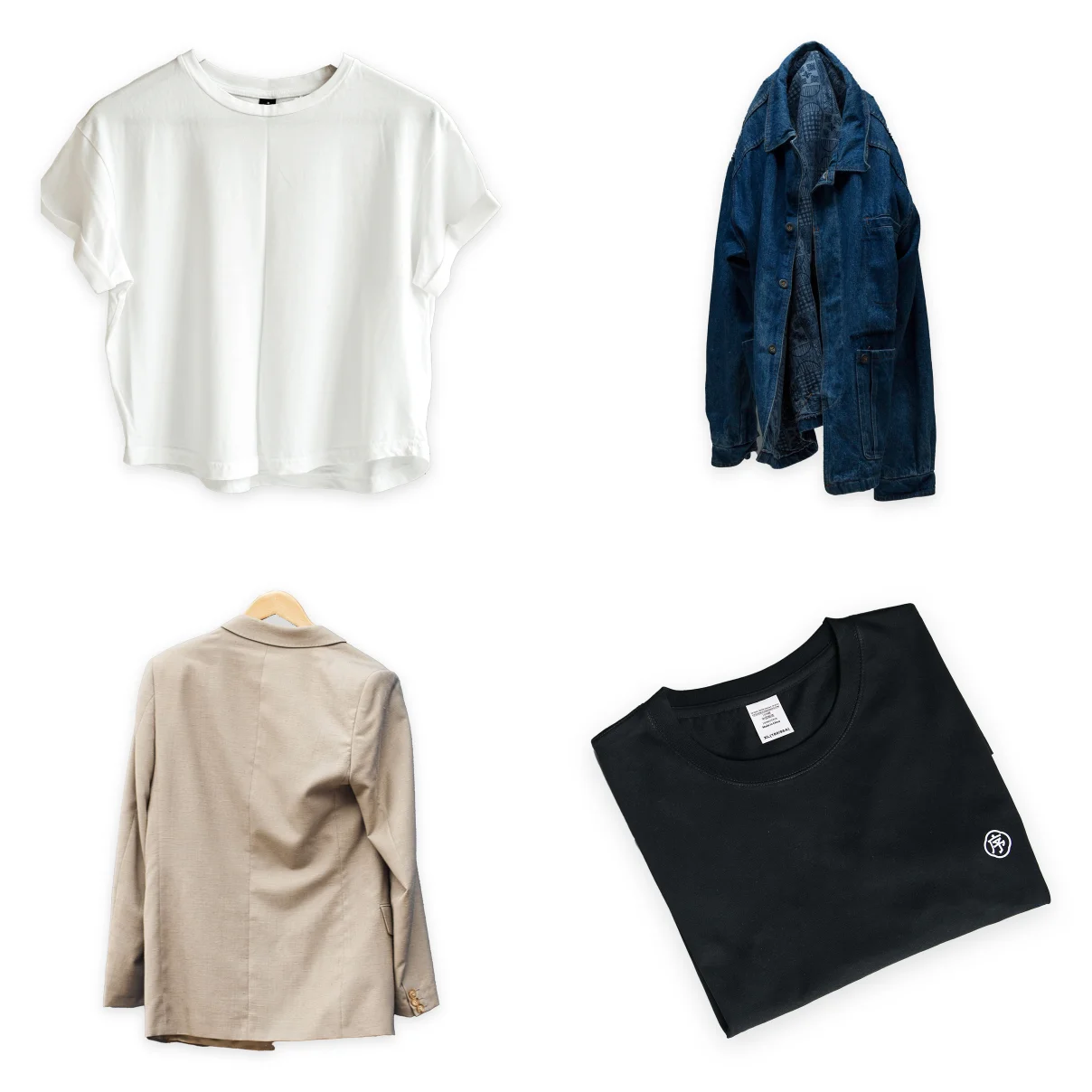
After editing, all four sit on pure white with the same framing and the same soft shadow. The colors are as the photographers shot them; the work is in the cut-outs.
The Clipp Out Line solution .
We cut each garment out with Photoshop’s Select Subject, then checked every mask at full size. Two of the four needed fixing by hand: the hand and arm holding the white tee, and a patch of concrete wall showing through the blazer’s hanger.
Every edit sits on its own layer in the PSD. The garment, its mask, the white background and the shadow can each be changed later without cutting the garment out again.
Each garment was photographed well. Side by side, the four photos looked like four different stores.
Three things that decide whether a catalog looks finished.
One background for four shoots
Shoppers scroll a category page as a grid. When every tile has a different backdrop, the products look like they came from different places.
- Challenge
The four photos had four backgrounds, and each garment sat at a different size in its frame.
- Solution
Each garment went onto pure white, scaled so its longer side fills 85% of a square frame, with one soft shadow built from its own outline.
Cut-outs that hold at the edges
A cut-out is judged at the edges: a stray finger, a sliver of wall or a hard line around the collar is what makes a catalog photo look cheap.
- Challenge
Select Subject kept the hand and sleeve holding the white tee. On the blazer, the wall showed through the gap between the hanger and the collar.
- Solution
We clipped the tee’s mask below the hand, which also dropped the black hanger, and removed the wall-colored pixels inside the blazer’s hanger with a color-range selection.
Knowing when a photo can't be saved
Retouching fixes backgrounds and edges. It can’t add fabric the camera never recorded.
- Challenge
Two of the six photos showed garments running off the edge of the frame, and the white tee next to the black one disappeared into the white tabletop.
- Solution
We left the two cropped photos out of the set and kept only the black tee from the folded pair, so every garment shown is complete.
One spec, then every garment.
A catalog that keeps growing needs a repeatable system, so next season’s garments land in the same place as these four.
We edited the white tee first and wrote down the values that worked. The other three garments were edited to the same sheet.
| Spec sheet: garment set | Value |
|---|---|
| Background | Pure white RGB 255 / 255 / 255 layer under the garment |
| Cut-out | Select Subject plus a layer mask, fixed by hand where it failed |
| Framing | Square crop, garment centered, its longer side at 85% of the frame |
| Shadow | Built from the garment's own outline: 30 px blur, 18 px drop, 14% opacity |
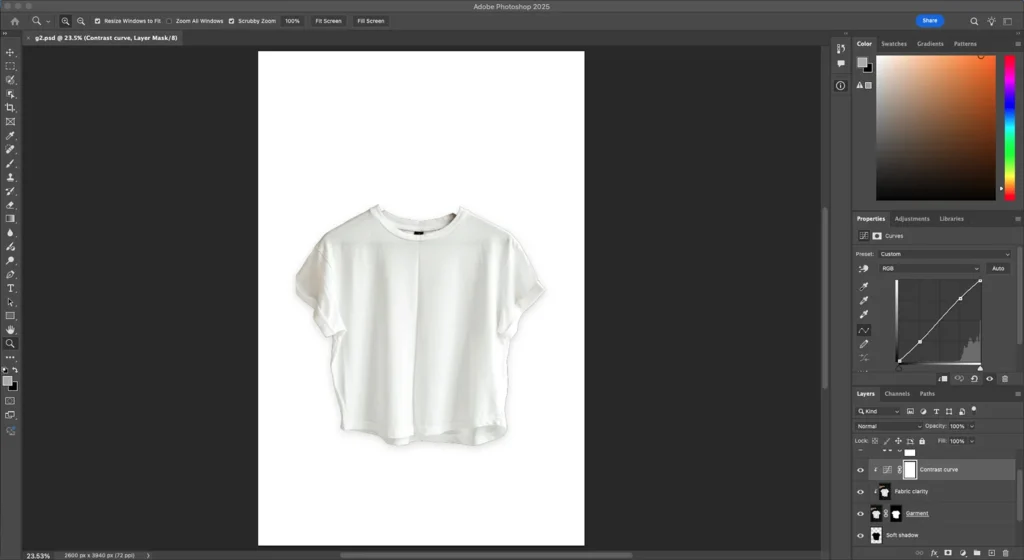
| Contrast | Curves: 64 → 60, 192 → 198 |
| Clarity | Unsharp Mask 30%, radius 1.2 px, threshold 2 |
| Color | Kept as shot; denim given +4 vibrance |
| Hangers | Kept where they hold the garment's shape, removed with the hand on the white tee |
| Files | Layered PSD kept; web images exported as WebP |
Written from the white tee and applied to all four garments.
Four passes on every garment.
Every garment went through the same four passes. Each screenshot is from this project’s Photoshop files.
Locked the spec
Set the white tee’s background, framing, shadow and contrast curve, and recorded each value on the spec sheet.
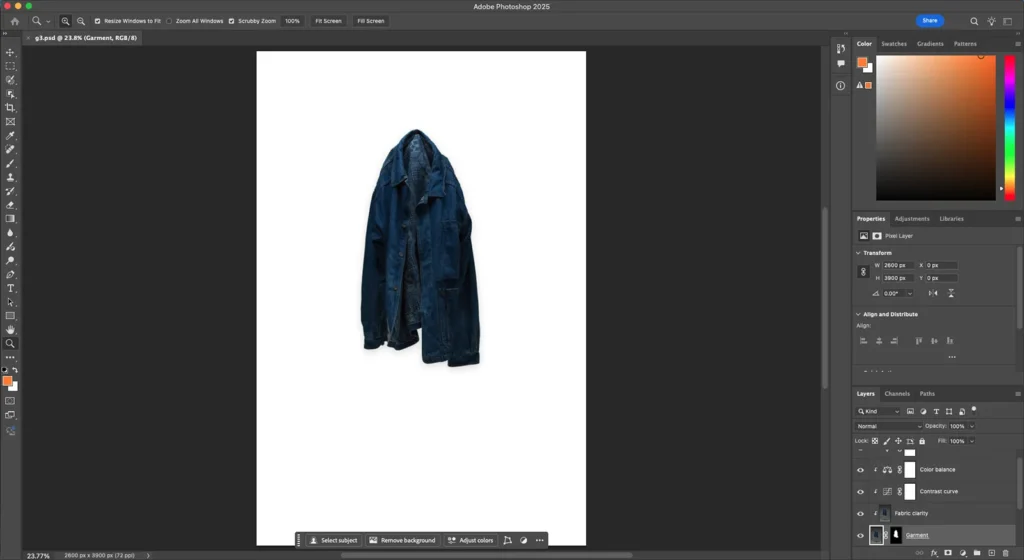
Cut out each garment
Ran Select Subject on each photo and kept the result as a layer mask on the garment layer.
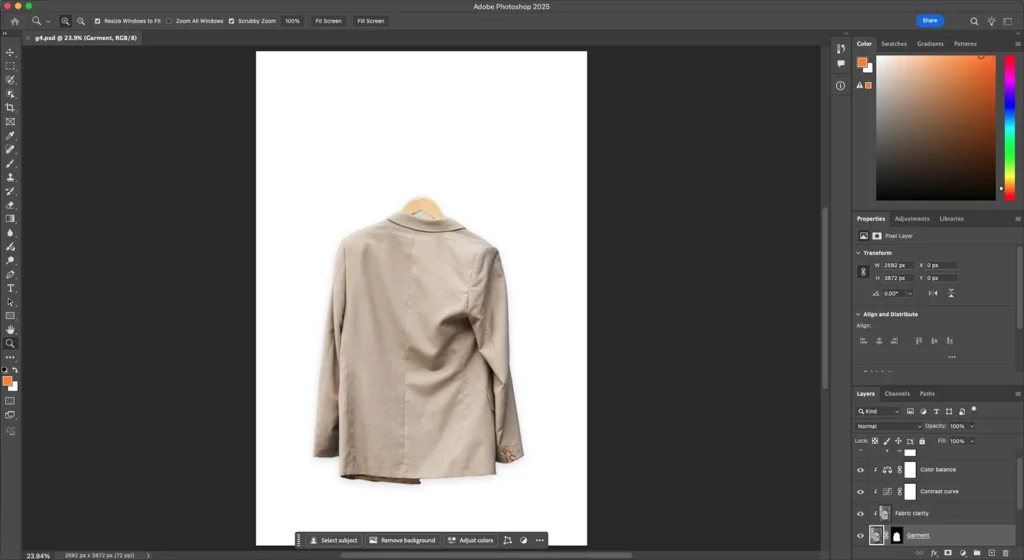
Fixed what the mask missed
Checked every edge at full size, then removed the hand from the tee and the wall from inside the blazer’s hanger.
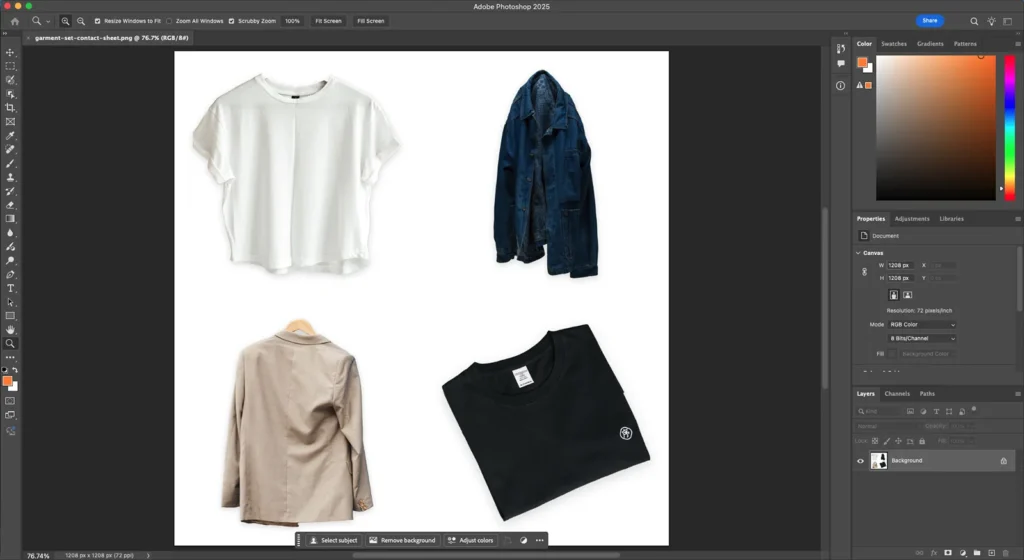
Checked it as a set
Viewed all four garments on one contact sheet to compare scale and shadow before export.
About this project. Edited in Adobe Photoshop 2025. Every change is non-destructive and kept as a named layer in each garment’s PSD, so the before and after on this page come from the same file. Published 12 November 2026.
Clipp Out Line has edited product photos since 2010. Read about the studio or how we work.
The source photos are used under the Pexels license, which allows free use and modification:
- White tee by Vie Studio
- Denim jacket by James Frid
- Tan blazer by Roger Aribau Gisbert
- Folded black tee by dayong tien
Clipp Out Line
Photo editing studio · since 2010
The work, measured.
The spec carries over to new shoots: the next garment photographed for this catalog can be edited to the same values without new decisions.
Every figure below is a count from this sample project’s files. Because there is no client, this page has no client-reported results.
6
Photos reviewed
From 6 different photographers
4
Garments edited
Each one complete in its photo
2 of 4
Masks fixed by hand
A hand on the tee; wall inside the blazer’s hanger
2
Photos left out
Garment ran off the edge of the frame
The difference, up close.
Three of the four garments. Each before is the Pexels original, cropped square, and each after is our edit at the same crop. Drag to compare.
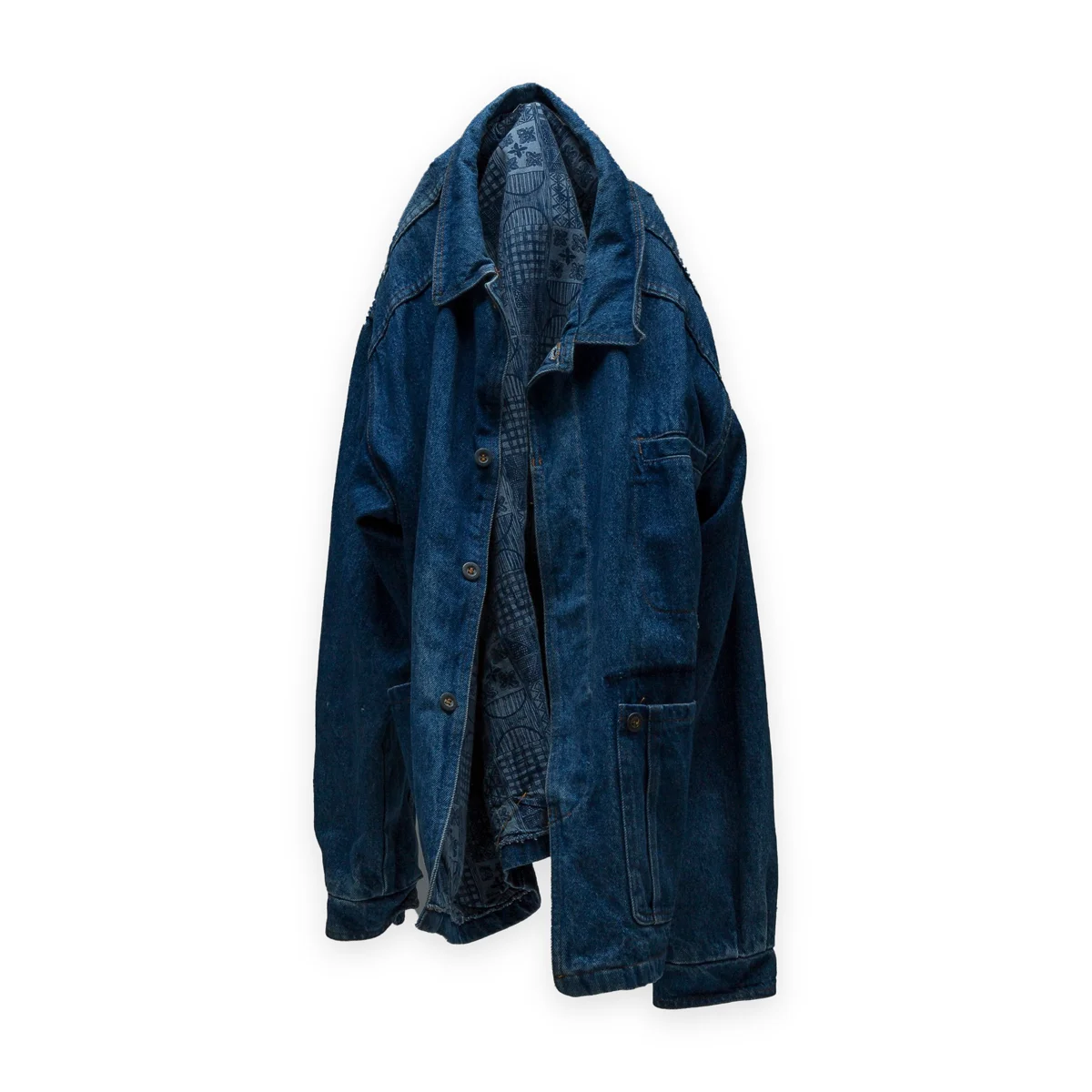
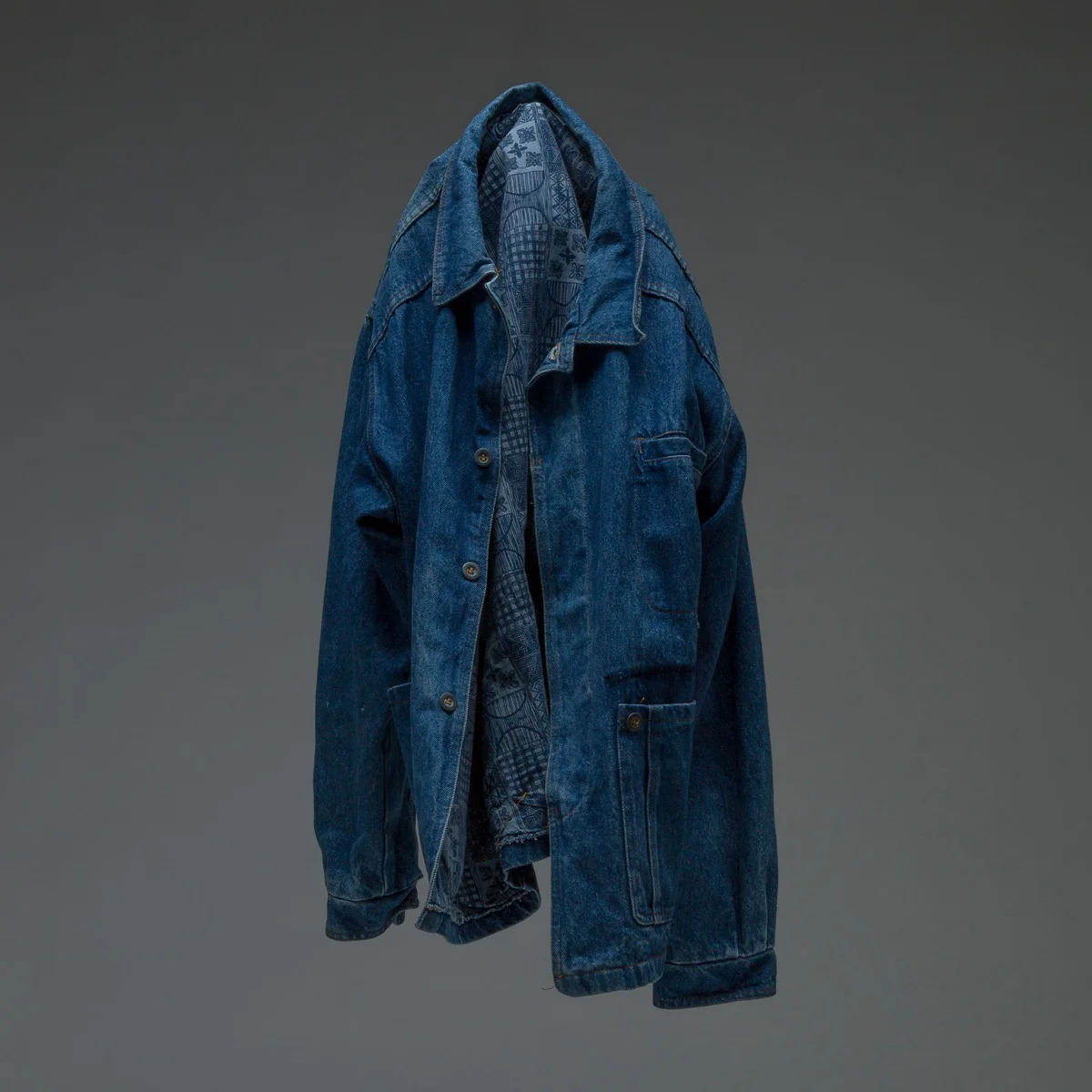
Denim jacket · background removal
Pexels photo: James Frid
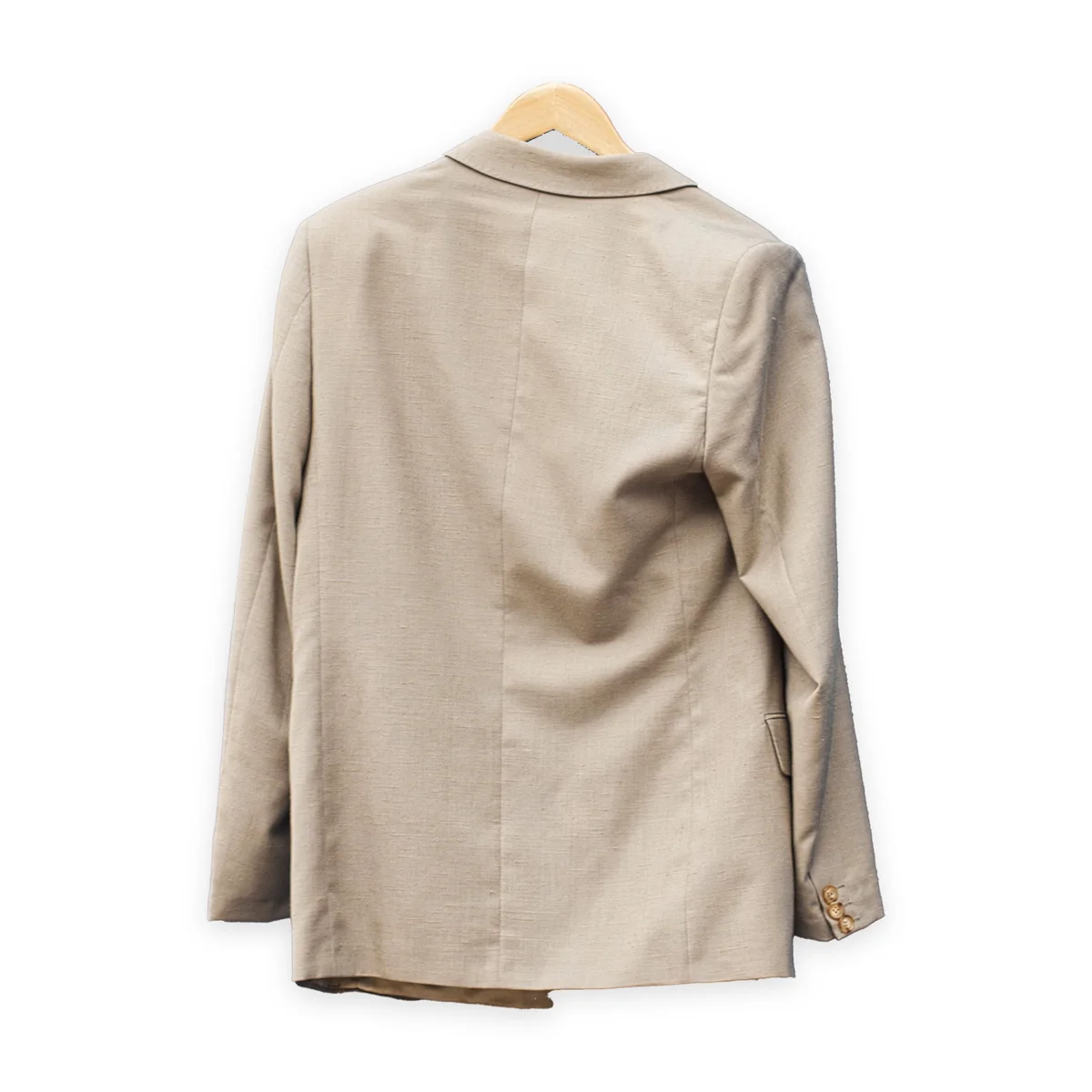
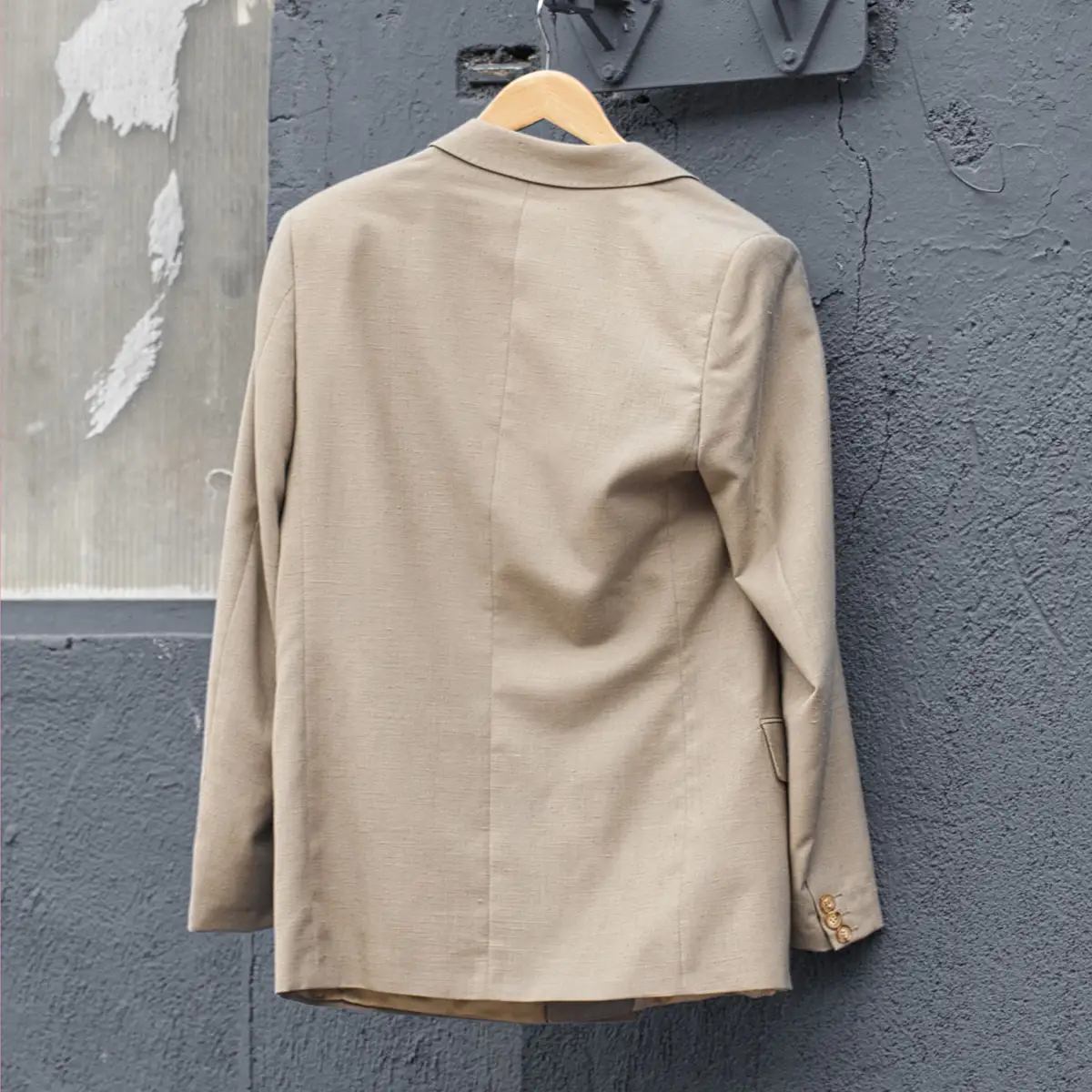
Tan blazer · clipping and hanger fix
Pexels photo: Roger Aribau Gisbert
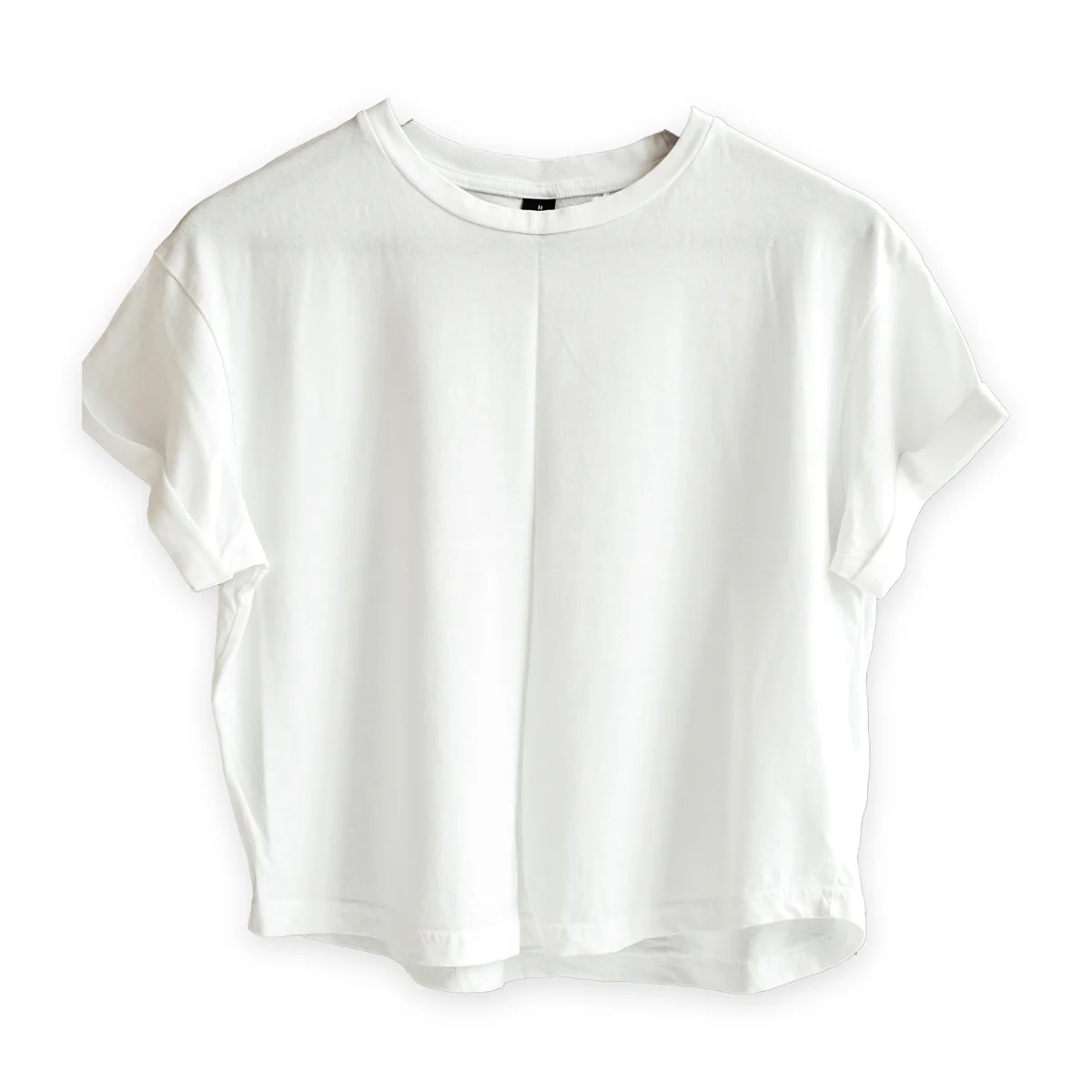
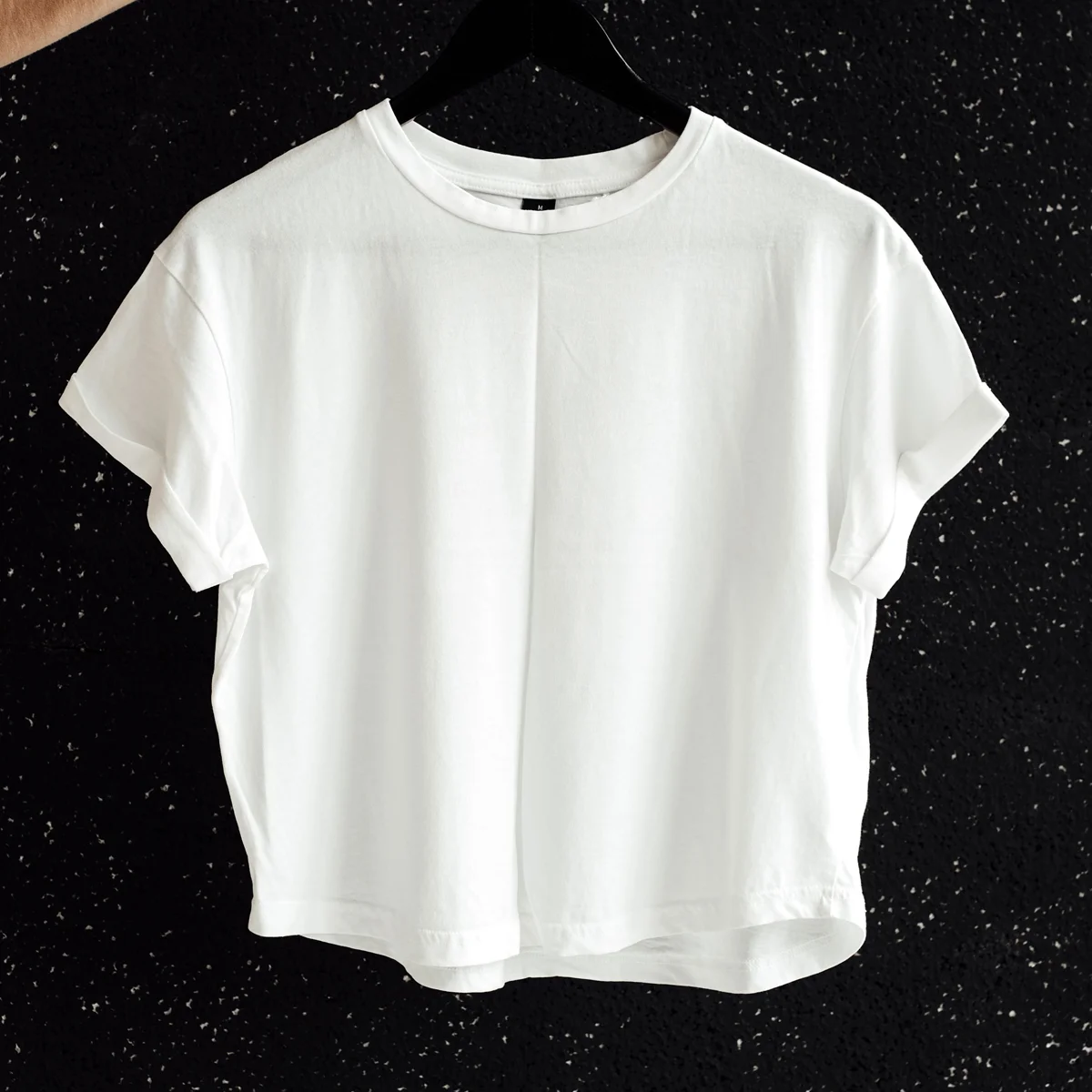
White tee · hand and hanger removal
Pexels photo: Vie Studio


Do your product photos match each other?
Send us 3 of your garment photos and we’ll edit them free, with no card needed, matched to your spec. Then judge the result on your own products.