AI jewelry retouching is the right call for simple pieces on plain backgrounds, when speed and cost matter most. Hand retouching earns its price when stones, polished metal or a whole collection have to look right at full zoom. AI tools can invent facets and guess metal tone; a professional jewelry retoucher works from the piece itself.
Quick answer:
- AI tools return an image in about a minute, for a few credits.
- They suit plain metal pieces, mockups and social images.
- Stones, polished metal and matched collections need hand work.
- Our hand retouching starts from $2.00 per photo, with most orders back in 24 hours.
Not sure which side your images fall on? Send us your trial images and compare our finish with your AI result. It’s free, with no card or sign-up, and we reply within an hour.
AI jewelry retouching vs hand at a glance
The two methods split on the details buyers zoom into. An AI tool is faster and cheaper per image. Hand retouching keeps real facets, real metal grain and one color standard across every order.
| Factor | AI jewelry tool | Hand retouching |
|---|---|---|
| Speed | About a minute per image | Most orders in 24 hours, 12 on a priority plan |
| Cost per image | A few credits per image | From $2.00 per photo, by service |
| Stones and facets | Can invent or blur facets | Facets kept as cut, inclusions reduced, not erased |
| Metal tone | One global guess per image | Matched to your swatch or product page |
| A whole collection | Varies from frame to frame | One spec, agreed on the trial, applied to every order |
| Files you can edit later | Flattened output | JPEG, TIFF or layered PSD |
What AI editing does well on jewelry
AI jewelry photo editing is fast, cheap and good enough for a lot of everyday images. NeuroViz, one such tool, says most images process in about a minute, at 5 to 25 credits per image (neuroviz.ai, as of November 2026). For low-stakes images, it’s hard to argue with that.
- A silver band or a gold chain with no stones, shot on white, gives the model little to get wrong.
- Swapping a backdrop or placing a piece on a model is what these tools are built for.
- An image that lives for a day on Instagram rarely needs a 100% zoom check.
- When you’re testing a new line, quick images tell you about demand before you pay for a full finish.
Where AI falls short on jewelry
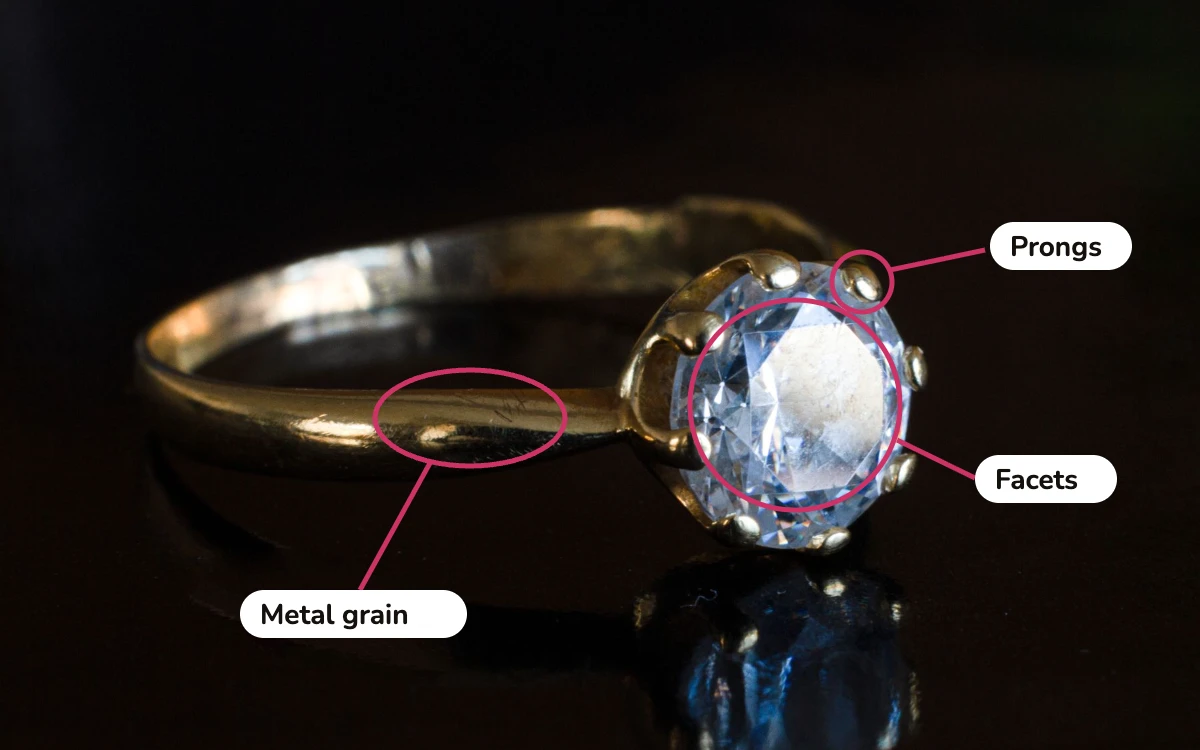
AI tools struggle where jewelry is hardest: stones, polished metal and consistency. A model sees facets and specular highlights as patterns to smooth or repaint. The result can look clean at thumbnail size and wrong at full zoom, where buyers judge prongs and stones before they buy.
- A stone can come back sharper or brighter than it is. On a graded stone, that misleads the buyer.
- Brushed texture and polish grain get smoothed away, and the metal starts to look like a 3D render.
- Without your reference, the tool can’t know whether a band should read rose or champagne.
- Each image is judged on its own, so ten pieces can end up with ten sparkle levels.
The FTC’s Guides for the Jewelry, Precious Metals, and Pewter Industries judge an image by whether it misleads the buyer. The UK’s CAP Code applies the same test. We never make a stone look better than its grade: a VS2 diamond retouched to look clean leads to returns.
When to choose AI, and when to choose hand
Use an AI tool when the image is low stakes and the piece is simple. If you sell plain metal jewelry shot evenly on white, mostly for social media, an AI tool covers most of your needs. Paying for hand retouching there buys you little.
Choose an AI tool if:
- Your pieces have no stones, or only small accent stones
- The images are for social posts, mockups or demand tests
- You need dozens of images today and can accept some variation
- Your budget per image is close to zero
Choose hand retouching if:
- Stones are the selling point, or the piece carries a grade
- Buyers will zoom in on a product page or marketplace listing
- A collection shot across several sessions has to match
- The image will be printed large or used for a campaign
Many brands use both: AI for backgrounds and social scenes, hand work for the product images that sell. Our in-house or outsourced retouching comparison covers the third option, hiring your own retoucher.
Hand retouching results for a fine-jewelry brand
Lustre & Co, a fine-jewelry house, found that its online photos flattened pieces that look bright in person. Dust, fingerprints and dull facets showed on every product page. We retouched the full line at macro magnification and locked one metal-tone standard. Product-page conversion rose 24%.
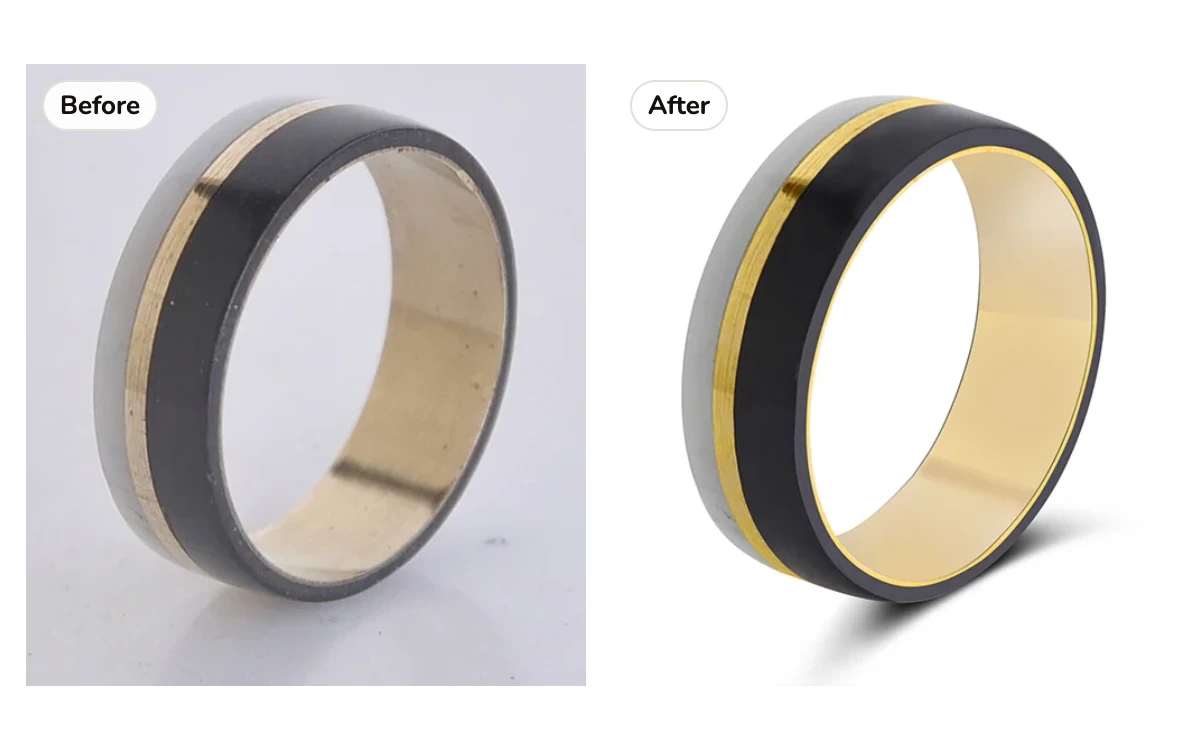
The full Lustre & Co case study shows the before and after images. Across all our jewelry orders in 2025, 98.6% of images were approved on the first pass.
How hand retouching works with us
Hand retouching with us takes four steps, and you don’t need an account. Every image is retouched in Photoshop by one retoucher, then checked by a second at 100% magnification before it ships.
- Send RAW or JPEG files through Drive, Dropbox or our FTP.
- Tick the services each image needs; we reply with a written quote within an hour. Prices for every service are on our jewelry photo retouching page.
- Check the images at full size and send notes. Revisions on anything we got wrong are free, with no round limit.
- Get the files back as JPEG, TIFF or layered PSD, in your naming and folders. Most orders arrive within 24 hours; 500+ images take two to three working days.
Good capture still matters more than either kind of editing. If your images start soft or blown out, our jewelry photography guide shows how to shoot pieces that need less work. For market rates and why jewelry costs more than other products, see what photo retouching costs per image.
Frequently asked questions
For plain metal pieces and social images, often yes. For stones, polished surfaces and product pages buyers zoom into, AI tools can invent facets, flatten metal and drift in tone. Check every AI result at 100% before you publish it.
AI costs less per image: a few credits against hand retouching from $2.00 per photo. The gap narrows once you count rework, returns from misleading stone images and the time spent fixing drift across a collection.
They can. An AI model treats facets and specular highlights as patterns to smooth or repaint, so a stone can come back brighter, sharper or with facets that aren’t there. Compare every AI edit with the original at 100% before it goes live, especially on graded stones.
Yes. We sign NDAs, use encrypted transfer and handle unreleased collections in a separate restricted queue.
Send us the original file as well. An AI-edited image may have lost detail for good. If so, we tell you rather than paint in a guess.
Compare both on your own pieces
Your own pieces will settle it faster than any table. Send us the images your AI tool struggled with: it’s free, with no card or sign-up, and we reply within an hour. Need 1,000+ images a month? Get a volume quote, or see every service and price for hand retouching.