The best eBay image size is about 1600 x 1600 px. eBay requires at least 500 px, accepts files up to 12 MB and allows up to 24 photos per listing. For jewelry, upload a square photo with the piece filling most of the frame, so stones and stamps stay readable.
Quick answer:
- Recommended size: about 1600 x 1600 px.
- Minimum size: 500 px.
- File limit: 12 MB per photo, up to 24 photos.
- Shape: 1:1 or 16:9 looks best, and square suits most jewelry.
- Never add borders, text or watermarks.
eBay is one channel in a wider selling setup. If you list in several places, start with our product image size guide for every channel, then come back here for eBay.
What are eBay’s photo size requirements?
eBay’s picture guidance recommends about 1600 x 1600 px and sets a 500 px minimum. Its picture policy adds the content rules. Together they cover size, file type, photo count and what a listing photo can’t include.
| Rule | eBay’s figure | Type |
|---|---|---|
| Minimum size | 500 px on the longest side | Required |
| Recommended size | About 1600 x 1600 px | Guidance |
| File size | Up to 12 MB per photo | Limit |
| Photos per listing | Up to 24 | Limit |
| Aspect ratio | 1:1 or 16:9 look best | Guidance |
| File types | JPEG, PNG, GIF, TIFF, BMP, WEBP, HEIC, AVIF | Accepted |
| Borders, added text, watermarks | Not allowed | Policy |
| Stock photos on used items | Not allowed | Policy |
eBay’s two help pages word the minimum slightly differently: one says 500 x 500 px and the other says 500 px on the longest side. Exporting at 1600 px clears both. eBay does not publish a maximum pixel size, so ignore guides that quote one as an official limit.
Why eBay picture size matters more for jewelry
Jewelry buyers judge small details: the setting, the clasp, the hallmark and any wear. A ring that fills only half of a small photo gives them very little to inspect. The right eBay picture size keeps those details visible, as long as the piece also fills the frame.
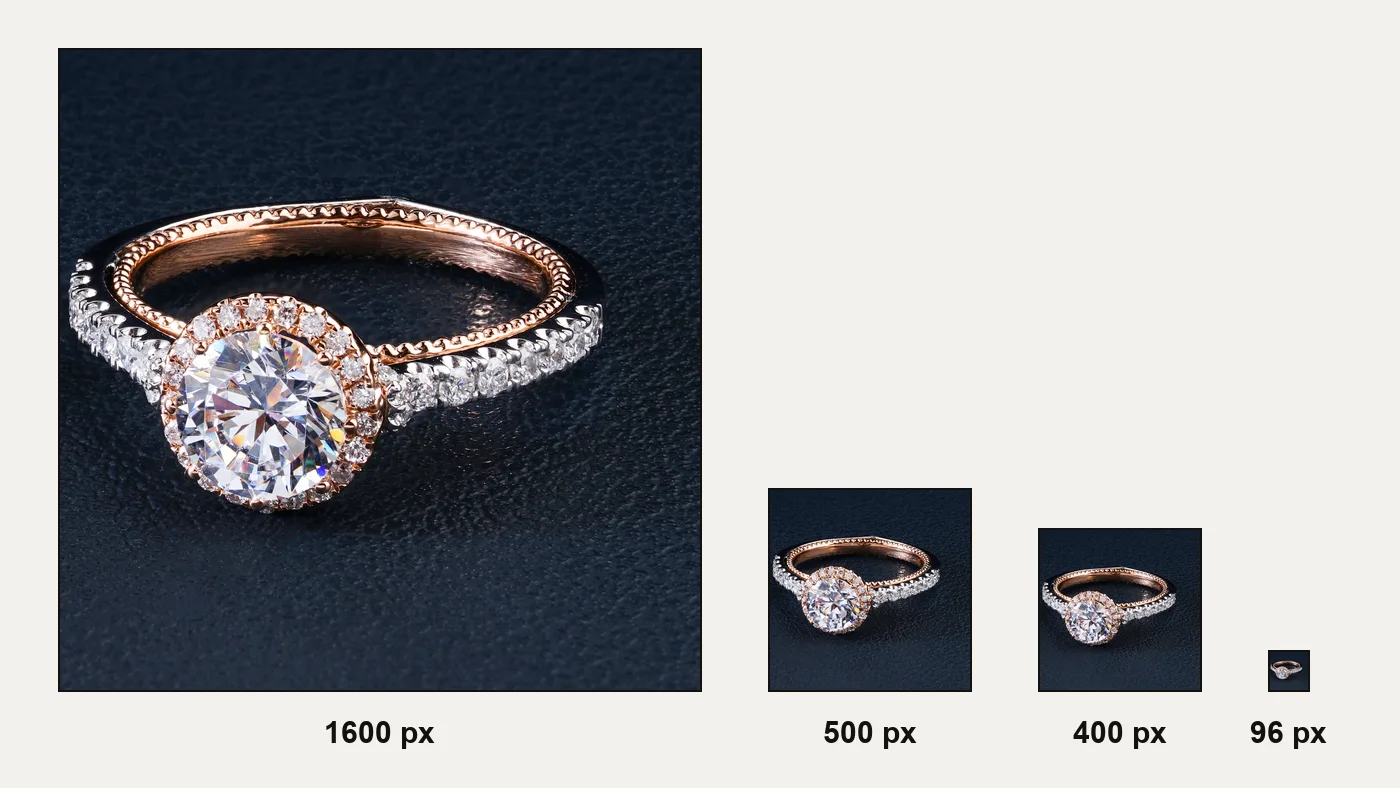
eBay says a Gallery Plus photo shows at up to 400 x 400 px on hover and at 96 px otherwise. At 96 px, a small ring on a wide background becomes a few pixels of metal.
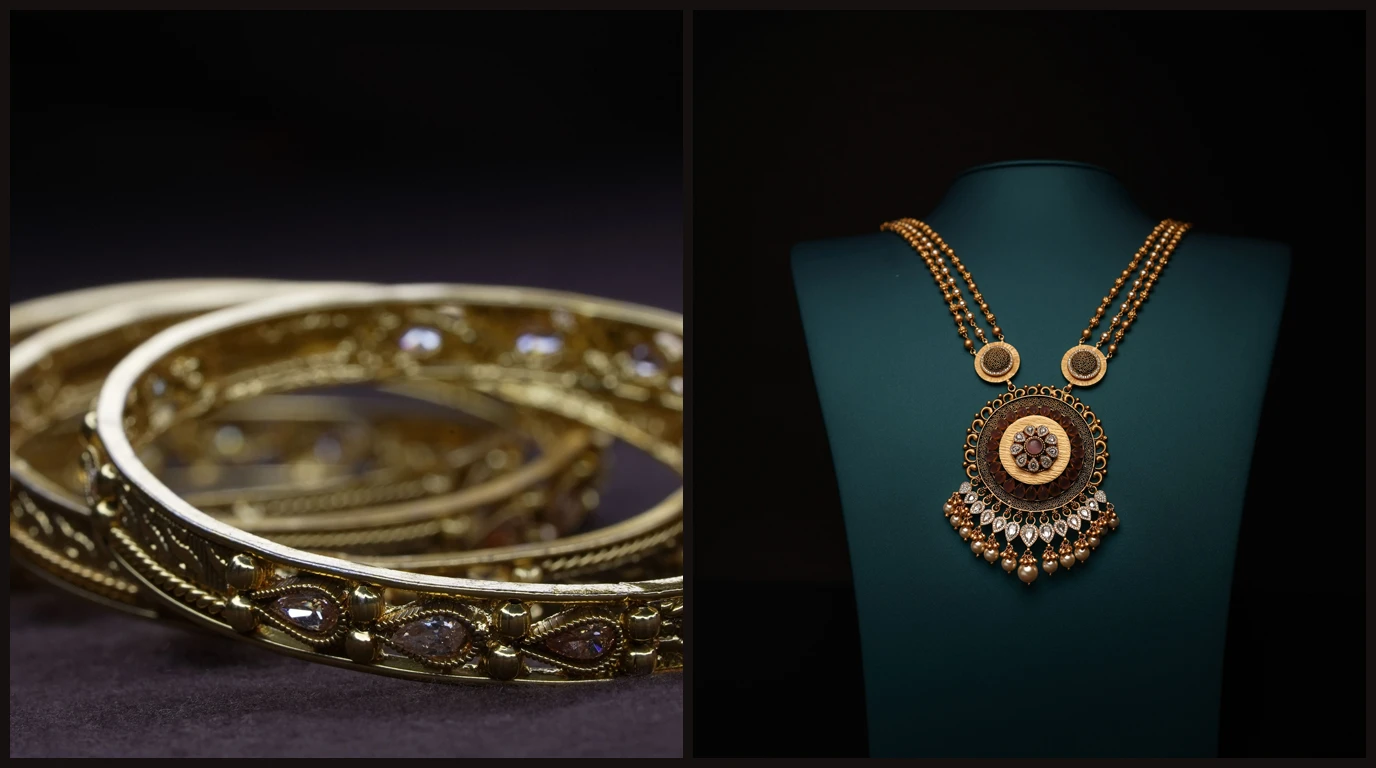
White is generally best on eBay, but its guidance notes that a darker background may work better for shiny items such as jewelry. If a white sweep is washing out your metal, test a dark one. When the file still falls short, jewelry photo retouching can clean up dust and recover the metal without changing the piece.
What you need before you start
You need one sharp, full-resolution master file for each angle. Everything else is a quick export from that file.
| What | Why it matters | Minimum |
|---|---|---|
| A full-size master | Gives you room to crop without losing detail | At least 2000 px on the shortest side |
| An image editor | Handles the crop, resize and export | Photoshop or any editor with exact pixel sizing |
| A shot of each key detail | Buyers check clasps, stamps and stones | Front, side, back and any hallmark |
| A scale reference | Shows the real size of a small piece | The piece on a hand, or next to a ruler |
| A phone | Shows how the listing looks to mobile buyers | Your own, signed in to eBay |
What retouching can’t fix
Resizing can’t add detail the camera never captured. A soft stone stays soft at any export size, and a piece cropped too tightly in camera has no room for a clean square. Reshoot those frames before you spend time on them.
Where the line sits
eBay’s policy prohibits photos that don’t accurately represent the item. Cleaning dust is fine, but don’t hide damage, change a stone’s color or make a piece look larger. On a used piece, photograph the actual item, because eBay does not allow stock photos for used goods.
How to set the eBay photo size in Photoshop: 6 steps
The steps below take 11 to 18 minutes for the first photo and go faster once you repeat them. They use one ring as the example, but the same sizes work for any piece.
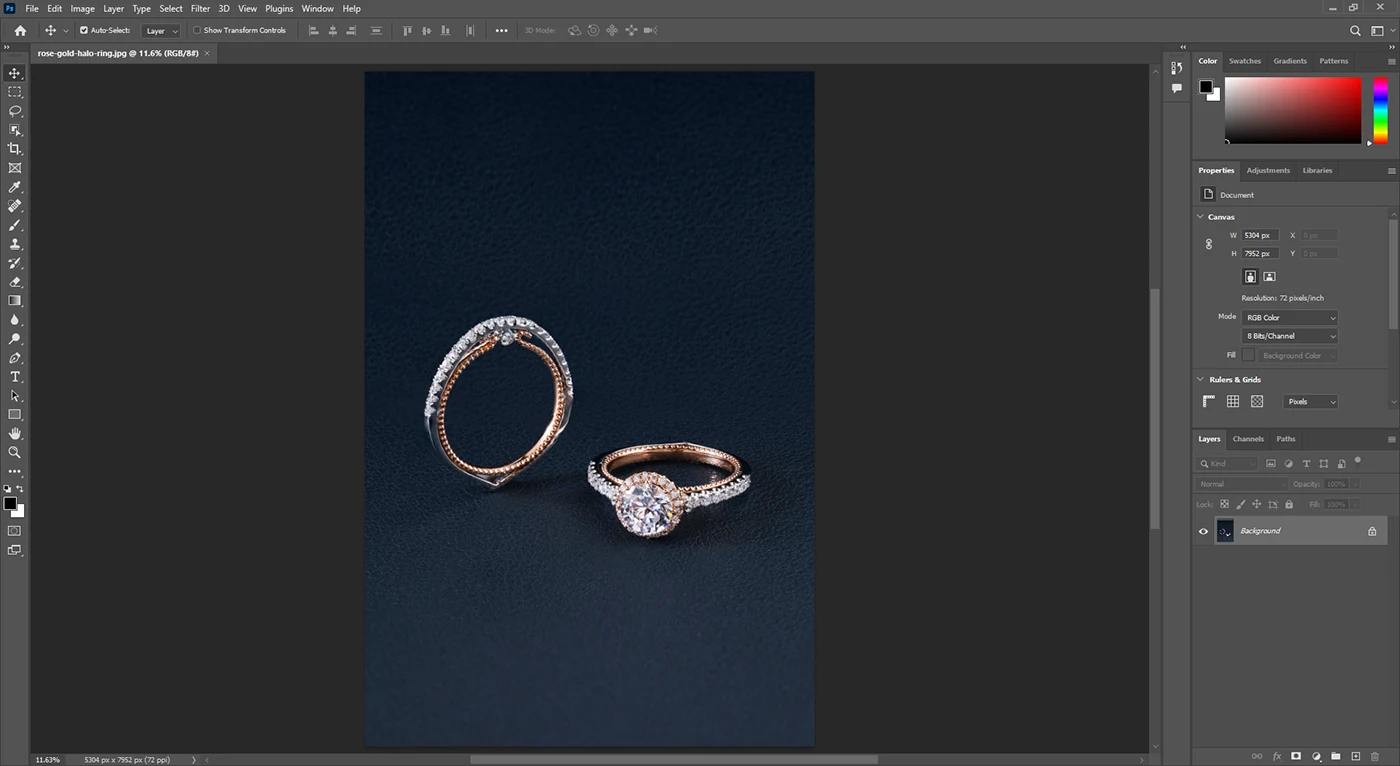
Step 1: Open your full-size master (2–3 min)
Always work from the largest file you have.
- Open the master in Photoshop and leave the original file untouched.
- Check the width and height in the Properties panel.
- Confirm the shortest side is above 1600 px, so you won’t need to enlarge it.
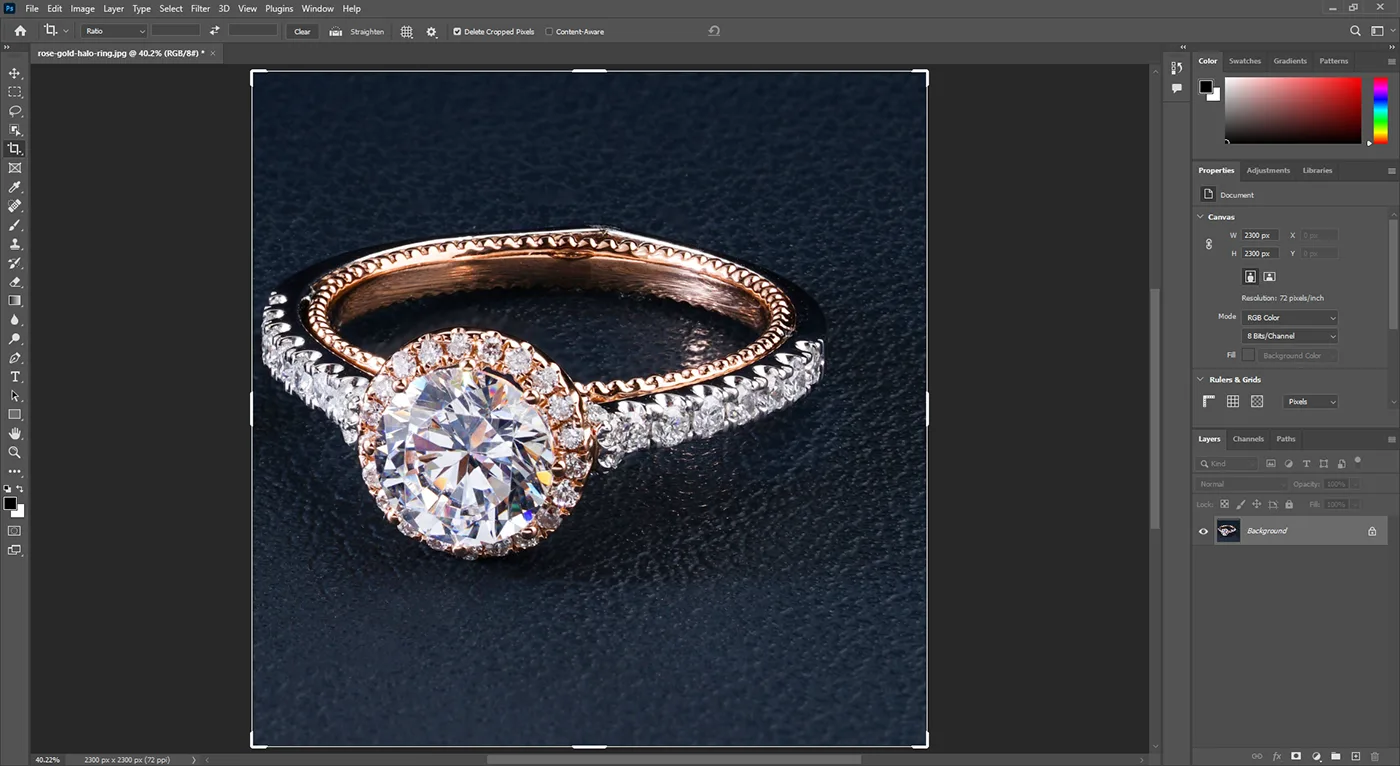
Step 2: Crop to a square (2–3 min)
A square keeps the piece large in a grid of listings.
- Select the Crop Tool and set the ratio to 1:1.
- Place the piece in the center, filling most of the frame.
- Leave a small margin so no part of the piece touches the edge.
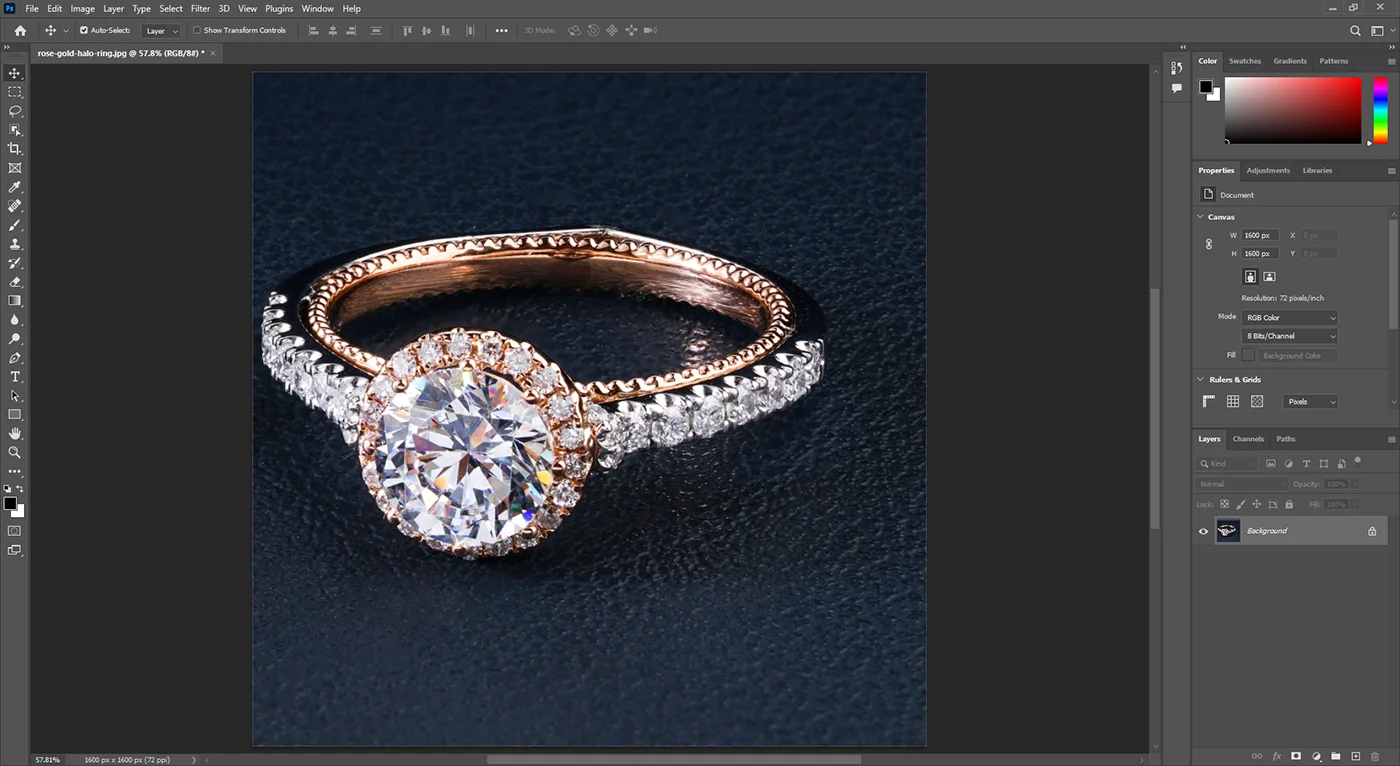
Step 3: Resize to 1600 x 1600 px (1–2 min)
This is the size eBay recommends.
- Open Image > Image Size.
- Set width and height to 1600 Pixels, with Resample on.
- Choose Bicubic Sharper (reduction) and click OK.
Step 4: Check the detail at 100% (2–3 min)
Resizing can soften fine edges, so look before you export.
- Press Ctrl+1 (Cmd+1 on Mac) to view at 100%.
- Inspect the prongs, stone edges and any hallmark.
- If an edge looks soft, go back to the master instead of sharpening heavily.
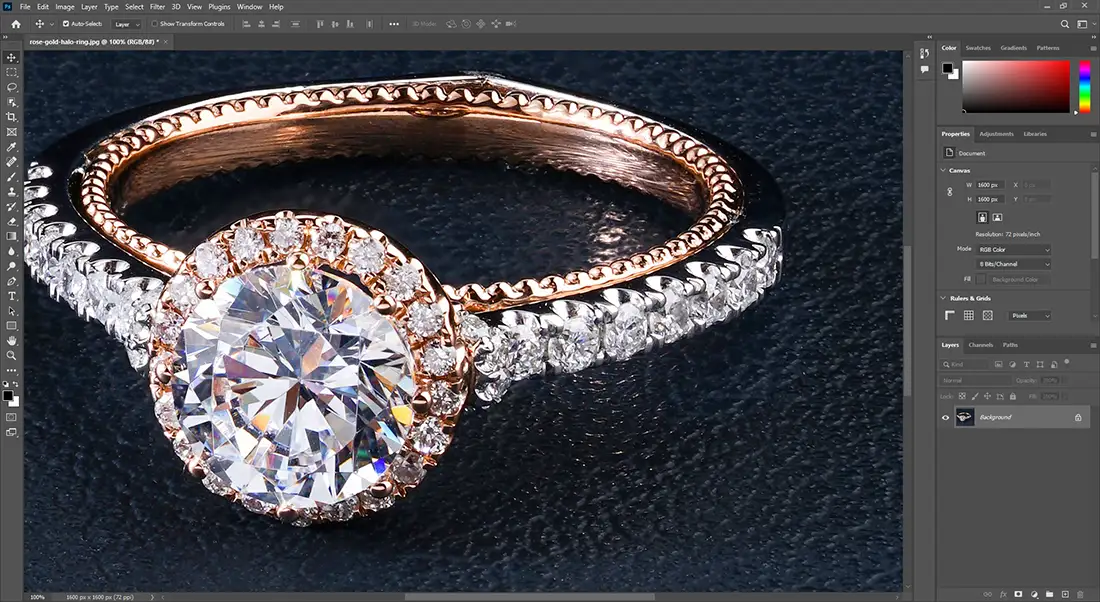
Step 5: Export a JPEG (1–2 min)
A high-quality JPEG stays far below eBay’s 12 MB limit.
- Choose File > Export > Export As and select JPG.
- Set quality to about 80% and tick Convert to sRGB.
- Name the file by item and angle, such as gold-ring-front.jpg.
Step 6: Upload and check it on a phone (3–5 min)
Your first photo does the most work.
- Upload the front view first, because it appears next to your title in search results.
- Make sure that main photo shows the whole item face-on.
- Preview the listing on your phone and confirm the piece is still easy to read.
Tip: Export every photo for one item at the same size and crop. A matching set looks more trustworthy when a buyer swipes through it.
The best photo size for eBay across your whole listing
Use the same 1600 x 1600 px for every photo, and spend your 24 slots on what a jewelry buyer needs to check. Most pieces are well covered by six to ten photos. Add more for a vintage or high-value item with marks to document.
| Photo | What it shows | Why buyers need it |
|---|---|---|
| Main | The whole piece, face-on | Appears in search results |
| Side and back | Depth, setting and finish | Shows how it is made |
| Close-up | Stone or central detail | Lets buyers judge quality |
| Hallmark | Stamp or maker’s mark | Supports the metal claim |
| Clasp or hinge | The working parts | Answers a common question |
| On a hand or ruler | The real size | Prevents size surprises |
| Any wear | Scratches or missing stones | Keeps the listing accurate |
Common mistakes
| Mistake | What it looks like | Fix |
|---|---|---|
| Uploading at the 500 px minimum | Soft detail on larger screens | Export at 1600 px |
| Piece too small in the frame | A speck of metal in search | Crop so it fills most of the square |
| Adding a watermark or logo | A policy problem and a busier photo | Upload a clean image |
| Adding a border or size text | Graphics that break eBay’s rules | Put details in the description |
| Using a stock photo for a used piece | A photo that isn’t the actual item | Photograph what you are selling |
| Enlarging a small file | Blurry stones at 1600 px | Reshoot or use the original |
What the right size can’t fix
A correctly sized file can still show dust, fingerprints, a gray background or dull metal. Size gets the photo through eBay’s rules, and the finish decides how the piece looks once a buyer looks closely. Those faults are easier to see at 1600 px than at a small preview.
Do it yourself or outsource?
If you list a few pieces a month and your photos start clean, sizing and light cleanup are easy to do yourself. If you also sell from your own store, follow our WooCommerce product image size guide.
| Doing it yourself works when | Outsourcing works when |
|---|---|
| You list a few pieces a month | You list new stock every week |
| Your photos need sizing only | Dust, reflections and metal need work |
| You sell on eBay alone | You need matching files for several channels |
A piece with eight photos at 15 minutes of cleanup each is two hours of work, so ten pieces take a full 20 hours. For the sizes on other marketplaces, see our online store product image size guide.
When that cleanup is taking over your week, a professional jewelry retoucher can take it on. We have hand-retouched jewelry since 2010, every image gets a second check at 100%, and most orders come back within 24 hours.
Send us your trial images. It’s free, with no card or sign-up.
Frequently asked questions
About 1600 x 1600 px, which is eBay’s own recommendation. A square at that size works well for jewelry because the piece stays large in search results and on a phone.
eBay requires at least 500 px. Its policy page measures that on the longest side, and its picture guide says 500 x 500 px, so a square of 500 px or larger meets both.
You can add up to 24 photos per listing, each up to 12 MB. For jewelry, use them for the front, side, back, close-ups, hallmark, clasp, scale and any wear.
No. eBay’s picture policy prohibits watermarks of any type, along with added borders, text, artwork and marketing material.
White is generally best on eBay, but eBay notes that a darker background may work better for shiny items such as jewelry. Test both and keep the one that shows the metal clearly.